
Solution · monday CRM
Quote management for monday CRM
Our quote management tool turns monday CRM into a quoting system. Your team picks products from a price list, sends a branded quote by email, and the customer accepts it or asks for a change with one click. Accepted quotes become Xero invoices automatically.



Good fit
Who this quote management tool is for
It suits teams that sell from a product catalog and quote from monday CRM, where quotes are still built by hand in documents or spreadsheets and copied into emails.
Product-based quotes
You quote from a list of products with set prices, from a handful to 100+.
Quotes from monday CRM
Your opportunities already live in monday CRM, or you want them to.
Invoices after acceptance
You invoice in Xero, or another accounting tool with an API, once a quote is accepted.
How it works
From product list to invoice in six steps
1. Pick products
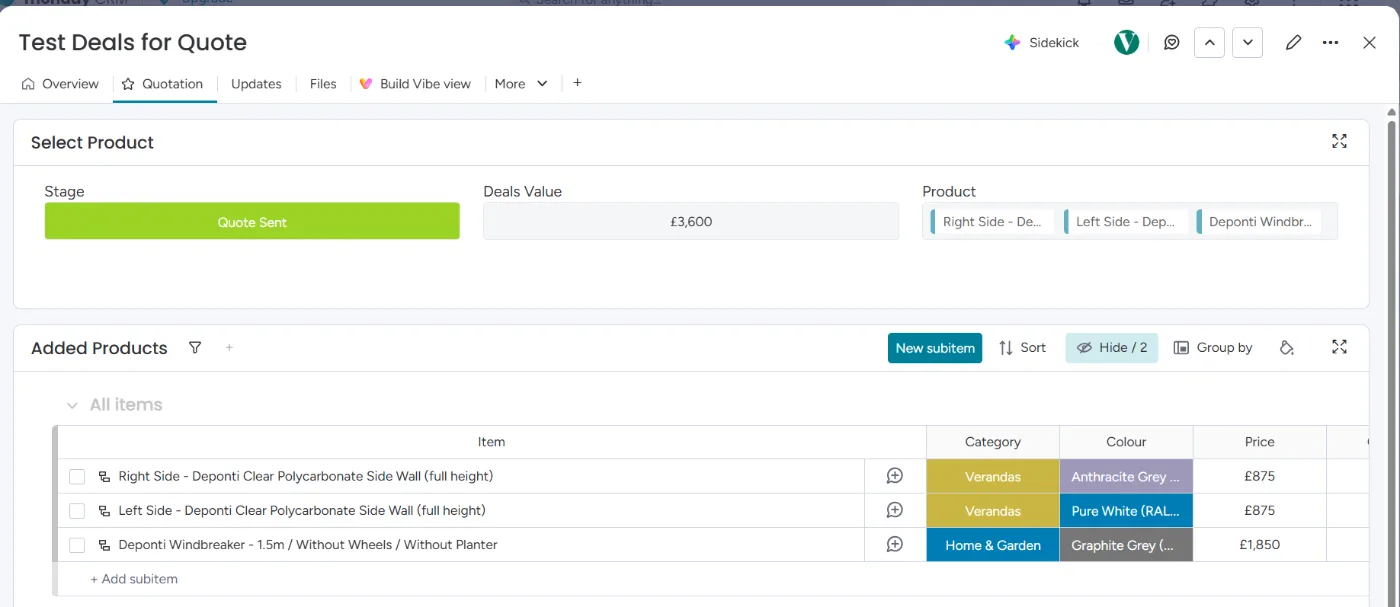
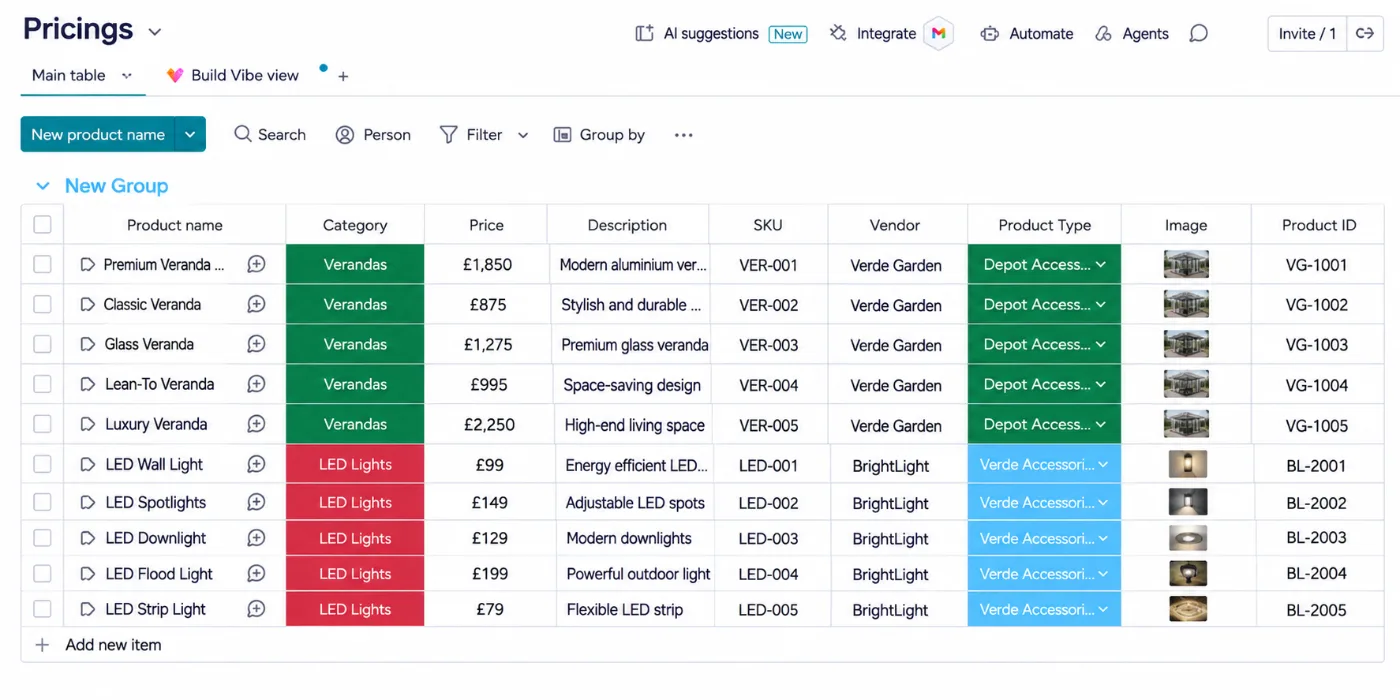
A connect boards column links each opportunity to a Products board with your prices. Selecting a product adds it to the quote.
2. Subitems fill themselves
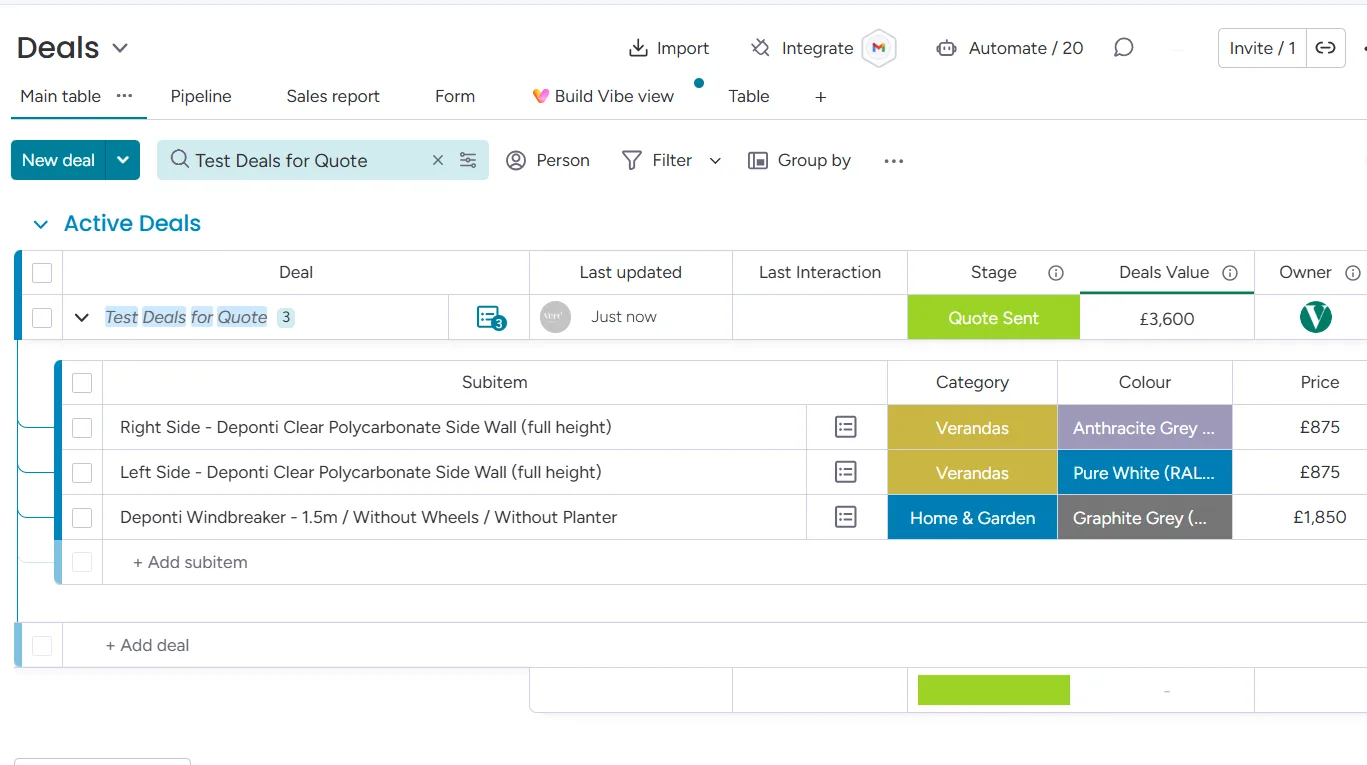
Each selected product becomes a subitem with its name, quantity, price, and image.
3. Send the quote
One click on the opportunity sends the quote. All subitems are combined into a branded HTML email.
4. Accept with one click
The customer clicks Accept Quote in the email, and Make marks the opportunity as Quote accepted in monday CRM.
5. Change requests with a note
Request Change opens a monday.com form. The customer writes what they want changed, and the note lands on the same opportunity.
6. Invoice in Xero
An accepted quote creates the invoice in Xero automatically. Your team reviews it and sends it to the customer.
Inside the tool
What the quote tool looks like in monday CRM
Screenshots from a test deal. Sample data.
The customer’s view
The quote your customer receives
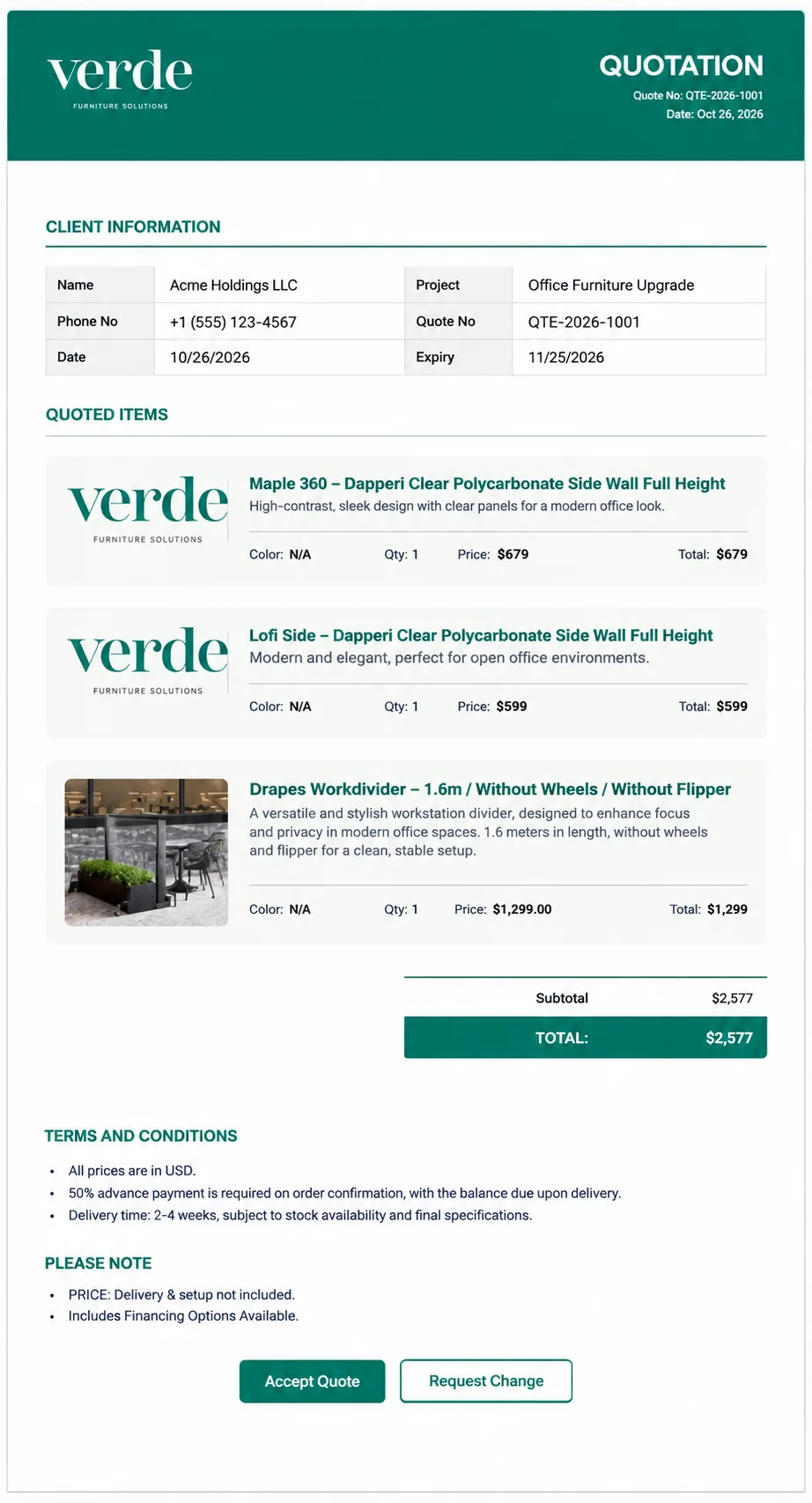
Each quote goes out as a branded HTML email, built from the subitems on the deal. The customer sees:
- Their details, the quote number, and an expiry date
- Every quoted item with its image, quantity, and price
- The total, plus your terms and notes
- Buttons to accept the quote or ask for a change
Their response goes straight back to the deal in monday CRM.
What’s included
What we set up in your monday CRM
Products board
Every product with its price and image, kept in one board your team can update.
Quote builder on each deal
Connect boards and subitems turn product picks into a priced quote.
Branded quote email
An HTML quote designed to match your brand, sent from the opportunity.
Accepts and change requests tracked
Every response updates the opportunity, including the customer’s note on a change request.
Invoice on acceptance
A Xero invoice created as soon as a quote is accepted, ready for review.
Lead capture
Optional: orders and enquiries from forms, configurators, or your store land on the opportunities board first.
Case study · VerdenGardenLiving
Built first for a UK maker of glass rooms
VerdenGardenLiving managed opportunities, contacts, and accounts in a CRM with no automations. We rebuilt it in monday CRM, brought in orders from Salesqueeze, JotForm, and Shopify, and added this quote tool, from a 100+ product price list to Xero invoices.
- Orders from three sources land on one opportunities board
- Contacts and companies created without duplicates
- Quotes sent, accepted, or sent back for changes from monday CRM
- Accepted quotes become Xero invoices for review
“He worked efficiently, understood exactly what we needed, and delivered clean, dependable automations that just worked.”
Piero Barba, Founder, VerdenGardenLiving
Connected tools
Tools the quote tool connects
The tool runs in monday CRM, with Make handling the quote email, the customer’s responses, and the invoice.
- monday CRM
- Make
- Xero
- monday.com WorkForms
- Salesqueeze
- JotForm
- Shopify
FAQ
Questions about quote management
Keep reading
Related guides and services
monday CRM consulting
Pipelines, proposals, and revenue tracking.
Make.com partner
The scenarios behind the quote tool.
monday.com integrations
Xero, Shopify, JotForm, and more.
VerdenGardenLiving case study
The full build, from leads to invoices.
See the quote tool on your products
Book a walkthrough. We’ll show you how quotes would work in your monday CRM.