
Solutions · Project management
monday.com project management, set up for how your projects run
We set up monday project management for teams running many client projects at once: a portfolio board for every project, project boards generated from your template, ticket forms for requests, client approvals, and invoicing when the work is done. Built by a monday.com Certified Partner with 7 years of builds.



Why monday.com
Why project teams outgrow spreadsheets and one-off boards
When every project is set up by hand, each board ends up a little different, requests arrive by email and chat, and nobody can see the whole portfolio at once. monday.com project management fixes that with one template, one way in for requests, and one view across projects.
One template for every project
Every project board starts with the same groups, columns, automations, and integrations.
Requests reach the right person
Ticket forms send each request to the right group and assign it to the person responsible.
Nothing waits unnoticed
If nobody picks up a new item within 24 hours, the owner gets a reminder.
One view across projects
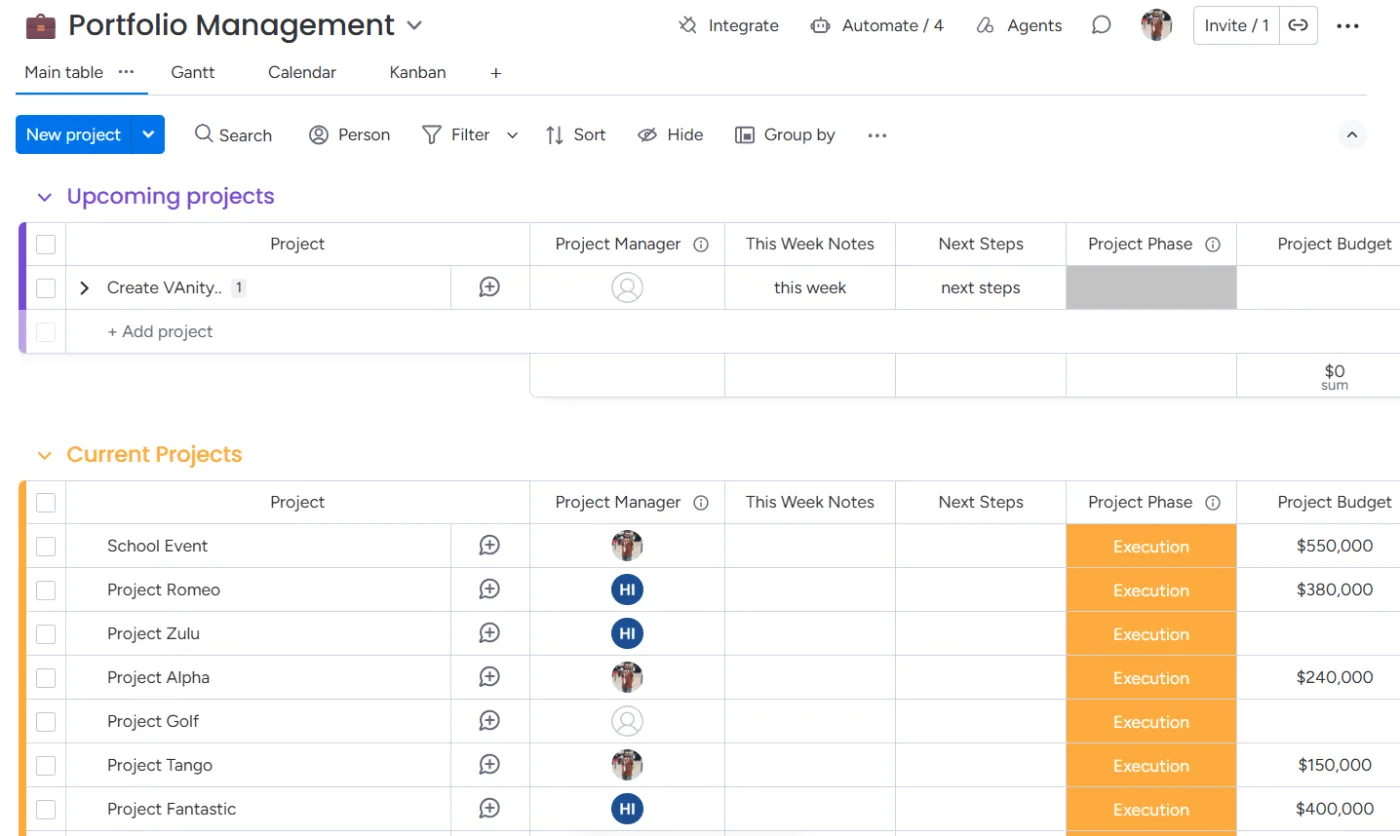
A portfolio board and dashboards show every project, its status, and who is working on it.
Project setup
From won deal to live project in one step
When a deal is won in monday CRM, the project is set up without anyone building boards or folders by hand.
1. Added to the portfolio
The won opportunity adds the project to the portfolio board.
2. Project board from your template
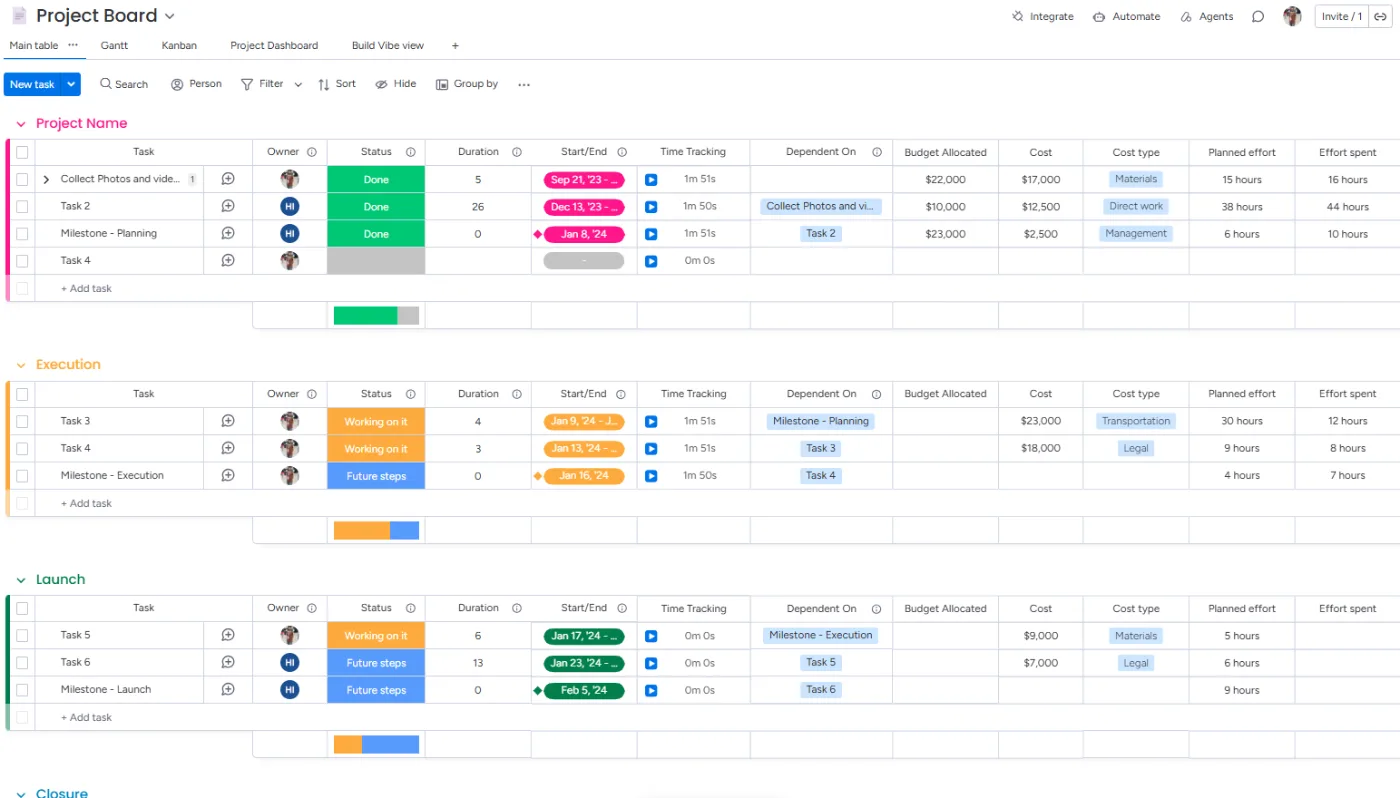
A new board is generated from your template and named after the client, with 70+ automations and integrations already in place.
3. Client folder in Google Drive
Make creates the client’s Drive folder from a template folder structure. Repeat projects for the same client go into the same folder.
4. Linked from the start
The portfolio item, project board, and Drive folder are linked, so the team starts work without any setup.
Ticket forms
Requests come in through ticket forms, not email threads
Each project board has its own ticket form. Whoever raises a request picks the service, and the board does the routing.
1. Pick the service
The form lists your services, such as video production, podcasts, digital ads, PPC, or SEO.
2. Routed to the owner
The ticket lands in that service’s group and is assigned to the person responsible for it.
3. Folder created
Make creates a folder for the ticket inside the right service folder in the client’s Google Drive.
Project tracking
Project tracking: stages, reminders, timelines, and workload
Stages for each service
Automations move each ticket through the stages of its service, so status is always current.
24-hour reminders
A new item that nobody picks up within 24 hours triggers a reminder to the owner.
Timelines and charts
Timeline views and charts show what is due, when, and how each project is moving.
Workload and resource planning
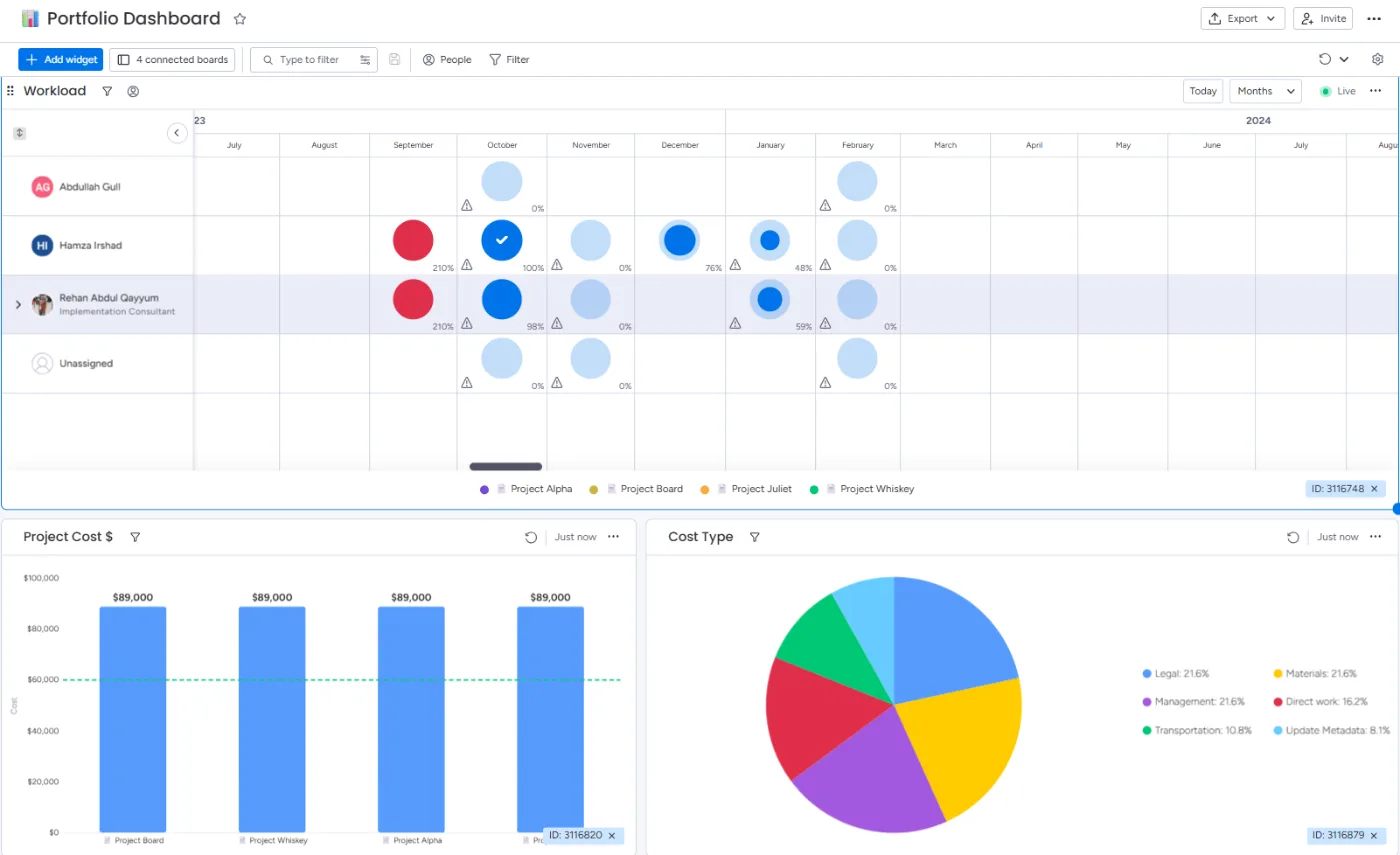
See how much work sits with each person before you assign more.
Portfolio dashboard
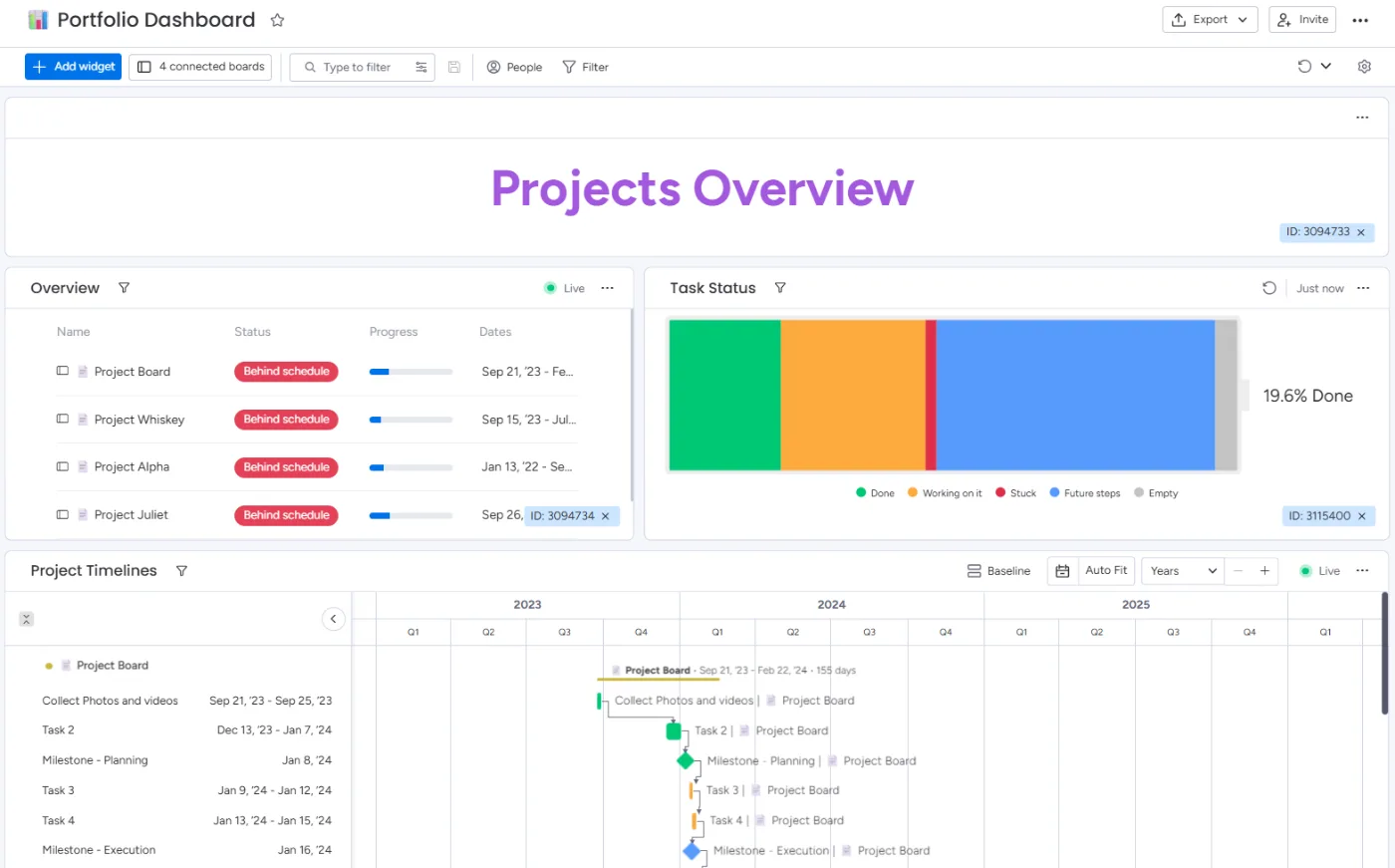
monday.com portfolio management in one view: every project, its stage, and its owner.
Archive when done
Completed projects stay in Completed for 30 days, then are archived automatically.
Client approvals
Client approvals by email
When work is ready for review, the client gets an email with the files, a Google Drive link, or a link to the tool where the work lives. They click Accept or Request change, and the answer is recorded on the item.
Clients don’t need a monday.com account, and they never see your boards.
How an approval runs
- The item reaches the review stage.
- The client gets an email with the files or links.
- They click Accept or Request change.
- Accepted work moves on; change requests come back to the item.
Billing
From time logged to a paid Stripe invoice
Billing runs on the same board. We connect monday.com to Stripe with Make, so the work the team logs becomes the invoice the client pays.
1. Log time
The team logs its time on subitems of the project.
2. Pick priced services
A connect boards column links each subitem to your pricing board, for example podcast recording 1 hour and editing 2 hours.
3. Ready to bill
Changing the status to Ready to bill creates the invoice in Stripe and sends it to the client.
4. Paid and completed
When the invoice is paid, the project board updates and the project moves to Completed.
Inside the build
Inside a project management build
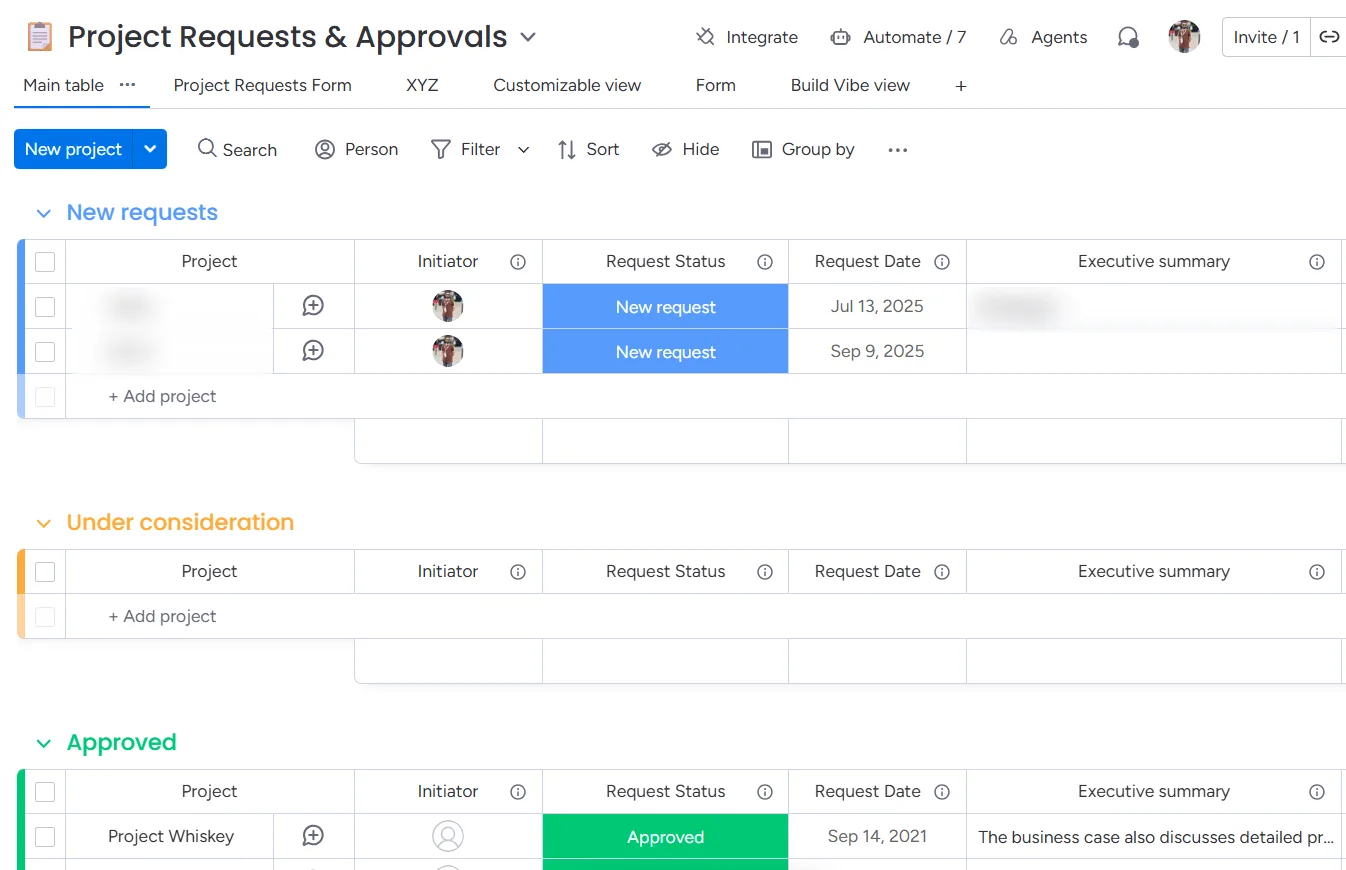
Screenshots from a project management build: the portfolio dashboard, the portfolio board, a project board created from the template, and the project requests board. All data shown is sample data.
Case study · Be Authentic Productions
How Be Authentic Productions runs 15 to 20 client projects in monday.com

Be Authentic Productions provides digital marketing, video production, podcasts, digital ads, PPC, and SEO. Before working with us, they didn’t use a project management tool. We built their CRM and project management system in monday.com, connected to Google Drive and Stripe with Make, and we have kept building on it with them for two years.
- Every won deal sets up its portfolio entry, project board, and Drive folder automatically.
- Requests, approvals, and invoices run through the same project boards.
- The team sees workload and every project’s progress on one dashboard.
15–20
client projects running at the same time
70+
automations and integrations on every project board
2 years
working together, and counting
Connected tools
Tools we connect for project teams
- monday.com
- monday CRM
- Make
- Google Drive
- Stripe
- monday.com forms
- monday.com dashboards
How we work
How a project management setup with us works
1. Discovery call
A free call to understand how projects are sold, delivered, and billed in your company today.
2. Scope and plan
We map your services, stages, owners, approvals, and billing, and agree on a timeline.
3. Build in staging, then go live
We build and test in a staging environment, then move it live. Work on existing boards happens outside your office hours.
4. Train and support
We train your team on its own boards. You get 7 days of free support after go-live, then optional monthly support plans.
FAQ
monday.com project management: common questions
Keep reading
Related guides and services
monday CRM consulting
Pipelines, lead capture, and revenue tracking that hand won deals to delivery.
Quote management for monday CRM
Branded quotes with Accept and Request change, built on the same approach as client approvals.
monday.com automations
The automation recipes and workflows behind project templates and reminders.
monday.com integrations
Google Drive, Stripe, and the other tools your team uses, kept in sync with monday.com.
Talk to us about your project setup
Book a free call. We’ll look at how your projects are sold, delivered, and billed today, and show you what we would build in monday.com.