
Case study · monday CRM and Make
How VerdenGardenLiving runs leads, quotes, and invoices in monday CRM
VerdenGardenLiving, a UK maker of glass rooms for homes, had a CRM with no automations. We rebuilt it in monday CRM, brought in orders from Salesqueeze, JotForm, and Shopify with Make, and built a quote tool that ends in a Xero invoice.



At a glance
VerdenGardenLiving at a glance
| Client | VerdenGardenLiving |
|---|---|
| Industry | Glass rooms for homes, UK |
| Services | monday CRM optimization, Make, integrations, quote management |
| Tools | monday CRM, Make, Salesqueeze, JotForm, Shopify, Xero |
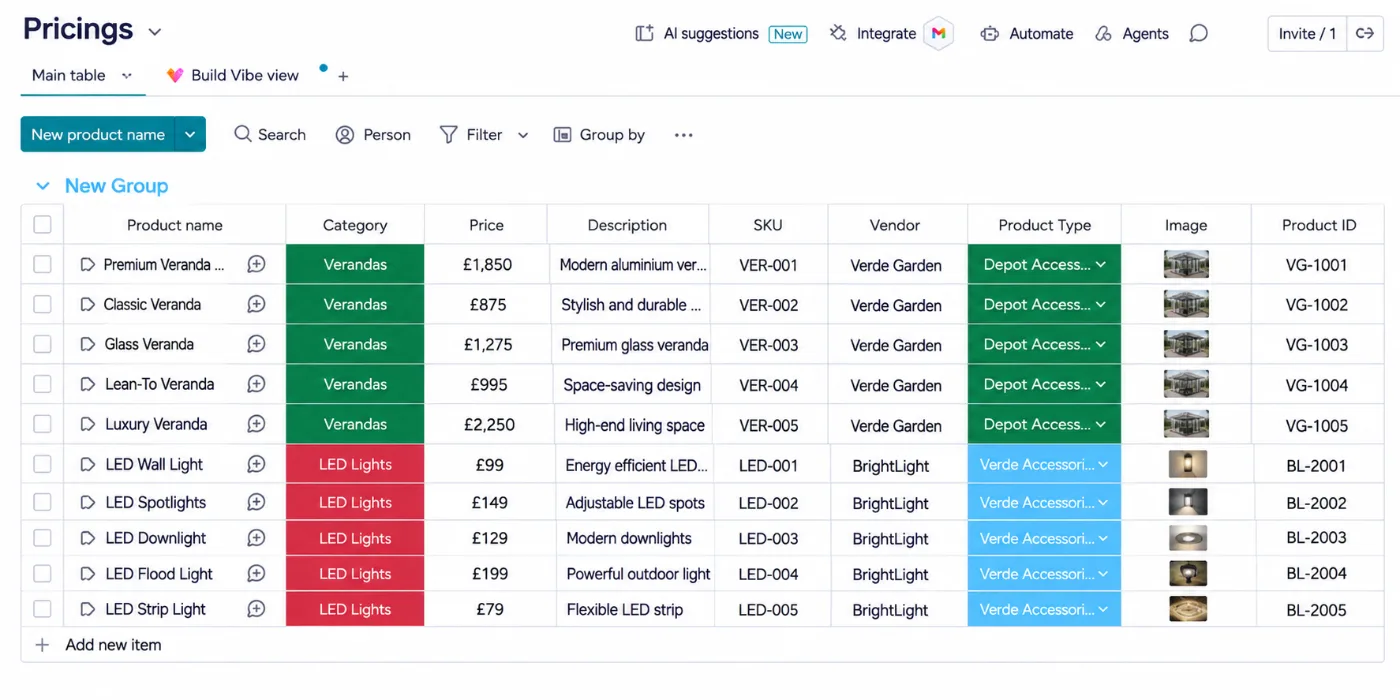
| Price list | 100+ products on a Products board |
The challenge
A CRM where everything was done by hand
VerdenGardenLiving had a CRM, but nothing in it was automated. The team managed opportunities, contacts, and accounts by hand.
Orders came in from three places: the Salesqueeze 3D configurator, JotForm, and the Shopify store. Each one had to be added to the CRM manually.
What we built
A rebuilt CRM, from first enquiry to invoice
The quote tool from this build is now available to other teams as our monday CRM quote management solution.
1. New workspace
We rebuilt the CRM in a new monday CRM workspace, with Opportunities, Contacts, and Accounts (companies) boards.
2. Orders from three sources
Make brings orders from Salesqueeze, JotForm, and Shopify onto the Opportunities board.
3. No duplicate contacts
Each order checks whether the person is already a contact. If they are, it skips; if not, it creates the contact.
4. Companies linked
If the person belongs to a company, it checks whether that company already exists, creates it if not, and links it.
5. Source details filled in
The source, the JotForm submission link, and the Salesqueeze ID are filled in on every opportunity automatically.
6. Quote from a price list
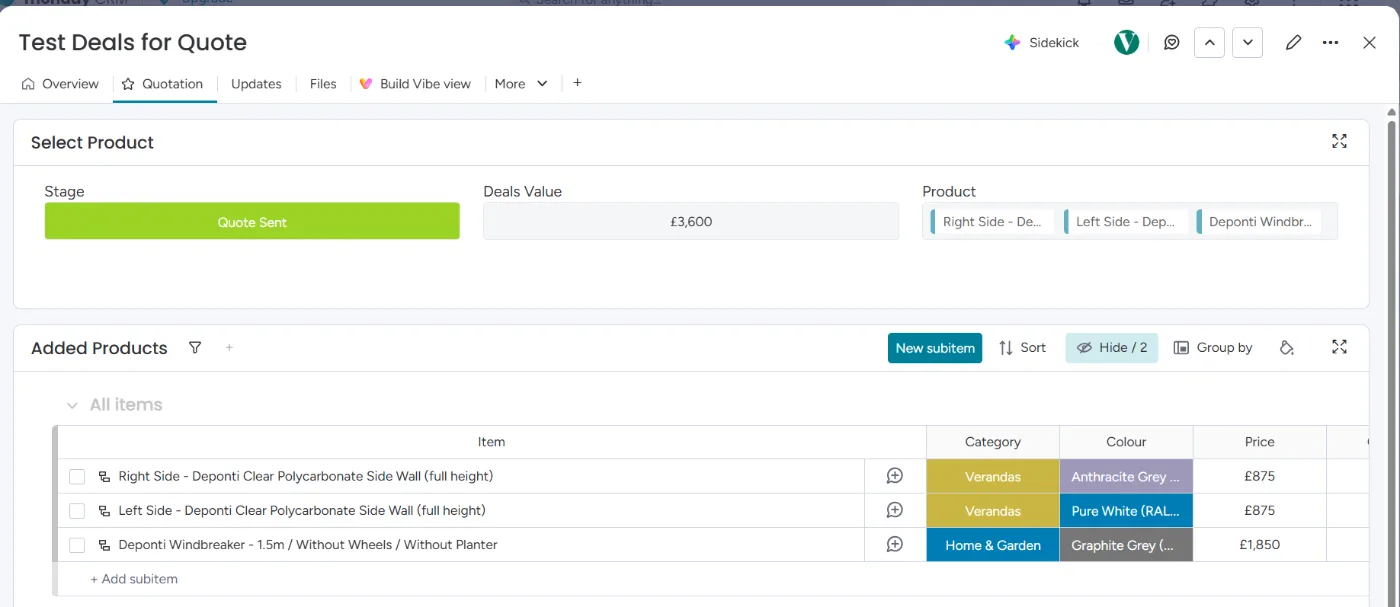
A connect boards column links each opportunity to a Products board with 100+ products. Selecting a product adds a subitem with its name, quantity, price, and image.
7. Send the quote
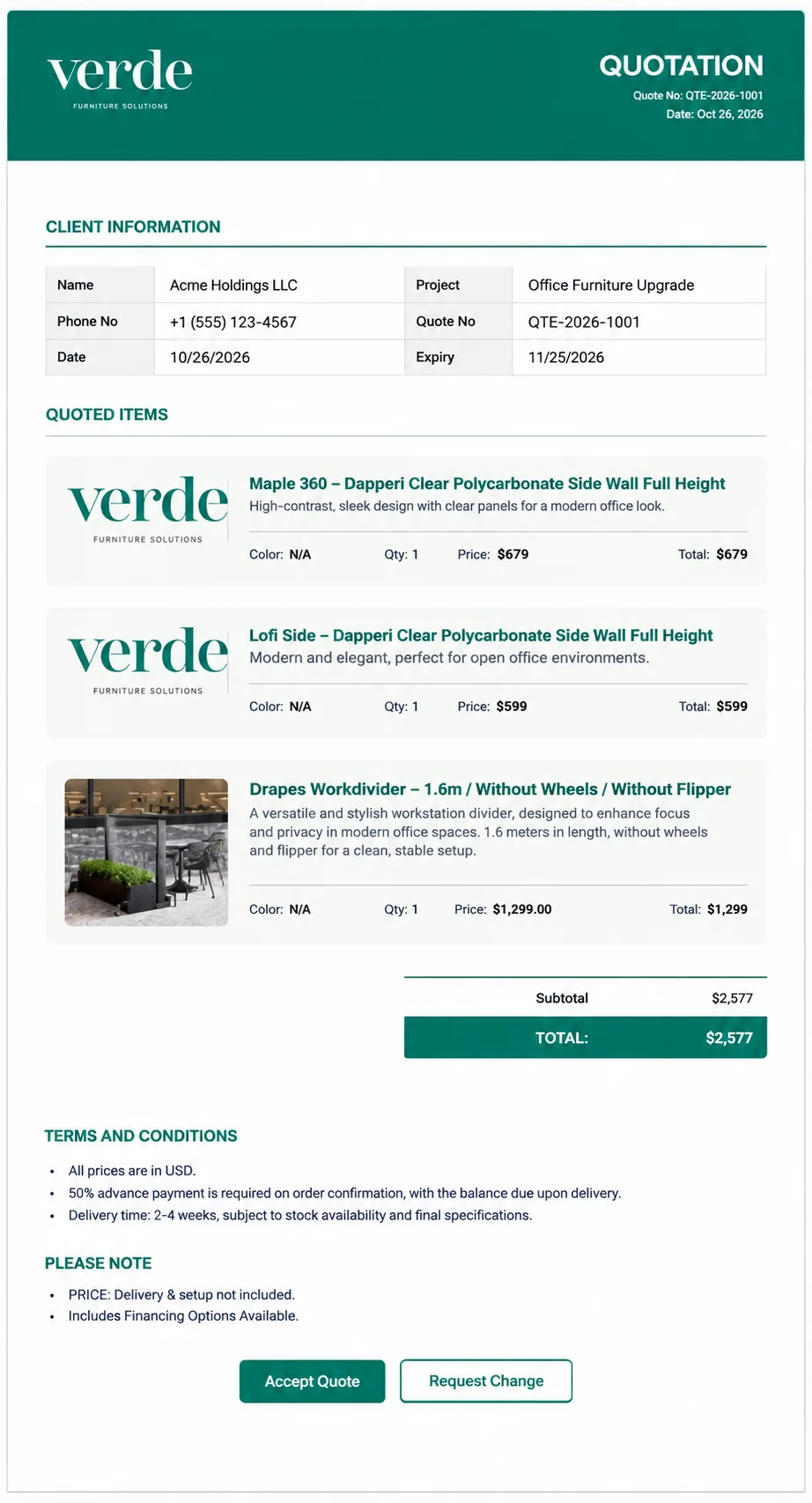
A button on the opportunity combines the subitems into a branded HTML quote email with Accept Quote and Request Change buttons.
8. Accept or request a change
Accept Quote updates the opportunity to Quote accepted through Make. Request Change opens a monday.com form, and the customer’s note lands on the same opportunity.
9. Invoice in Xero
An accepted quote creates the invoice in Xero automatically. The team reviews it and sends it to the customer.
Inside the build
Inside the quote tool
Screenshots from a test deal in the same setup. Sample data.
Results
One system from enquiry to invoice
3
order sources feeding one Opportunities board
100+
products in the quote price list
- Every order lands with its source and IDs filled in
- Contacts and companies are checked before anything is created, so there are no duplicates
- Quotes are sent, accepted, or sent back for changes from monday CRM, with the customer’s note on every change request
- Accepted quotes become Xero invoices, ready for the team to review
In their words
What VerdenGardenLiving says
“I had the pleasure of working with Rehan on a project to unify our sales channels into Monday.com. We had enquiries coming in through several disconnected sources, including JotForm, our website enquiry form, and the Salesqueeze 3D configurator, and Rehan built the integrations that brought all of them into a single, reliable workflow. He used Make to connect everything, and his knowledge of the platform stood out immediately. He worked efficiently, understood exactly what we needed, and delivered clean, dependable automations that just worked. What could have been a messy, time-consuming project was handled smoothly from start to finish. I’d recommend Rehan to anyone looking for someone who genuinely knows their way around Make and can turn a scattered set of tools into one cohesive system. It was a pleasure working with him.”
Piero Barba, Founder, VerdenGardenLiving
Services used
Services used in this project
Quote management for monday CRM
The quote tool from this build.
monday CRM consulting
Pipelines, contacts, and accounts.
Make.com partner
The scenarios behind the workflow.
monday.com integrations
Shopify, JotForm, Xero, and more.
Want quotes and invoices to run from monday CRM?
Book a free call and we’ll map how your leads, quotes, and invoices could flow.