
CPQ for monday CRM: quotes from your price list
Short answer: CPQ CRM software (configure, price, quote) builds accurate quotes from a product catalog and pricing rules. monday CRM includes a basic quotes and invoices feature, but not full CPQ. For most small and mid-size teams, a quote tool built on monday CRM covers what they need: pick products from a price list, send a branded quote, and get a one-click answer.
Sales teams on monday CRM ask us the same thing: can we build quotes here, or do we need separate CPQ software? This guide explains what CPQ means, what monday CRM can do on its own, and the options in between. If you want to see a working example, it is our quote management tool for monday CRM.
What CPQ CRM software does
- Configure: choose products and options, with rules about what can be combined.
- Price: apply list prices, quantities, discounts, and approvals.
- Quote: produce a document the customer can review and accept.
Full CPQ software is built for complex catalogs, such as products with many options and dependencies, or discounts that need approval chains. Many teams don’t need all of that. They need fast, accurate quotes from a known price list and a clear record of what the customer said.
Does monday CRM have CPQ built in?
Not as full CPQ. monday CRM has a quotes and invoices feature, with a monthly limit that depends on your plan (see monday CRM pricing). It works for simple quotes, but it doesn’t give you configuration rules, product subitems with images, or an automatic hand-off to your accounting software.
Your options for CPQ on monday CRM
| Option | Good for | Watch out for |
|---|---|---|
| Built-in quotes and invoices | Simple quotes in low volume | Monthly limits by plan; little control over the layout |
| Document tools (PandaDoc, DocuSign, DocuGen) | Branded proposals and e-signatures | A separate subscription; data has to sync back to monday |
| Custom quote tool on monday CRM | Quoting from a price list with products, quantities, and one-click acceptance | Needs to be built and maintained |
| Dedicated CPQ software | Complex catalogs, configuration rules, approval chains | Cost, setup time, and a second system to keep in sync |
How a quote flow works in monday CRM
This is the quote tool we built for VerdenGardenLiving, a UK maker of glass rooms for homes. It runs on monday CRM with Make.
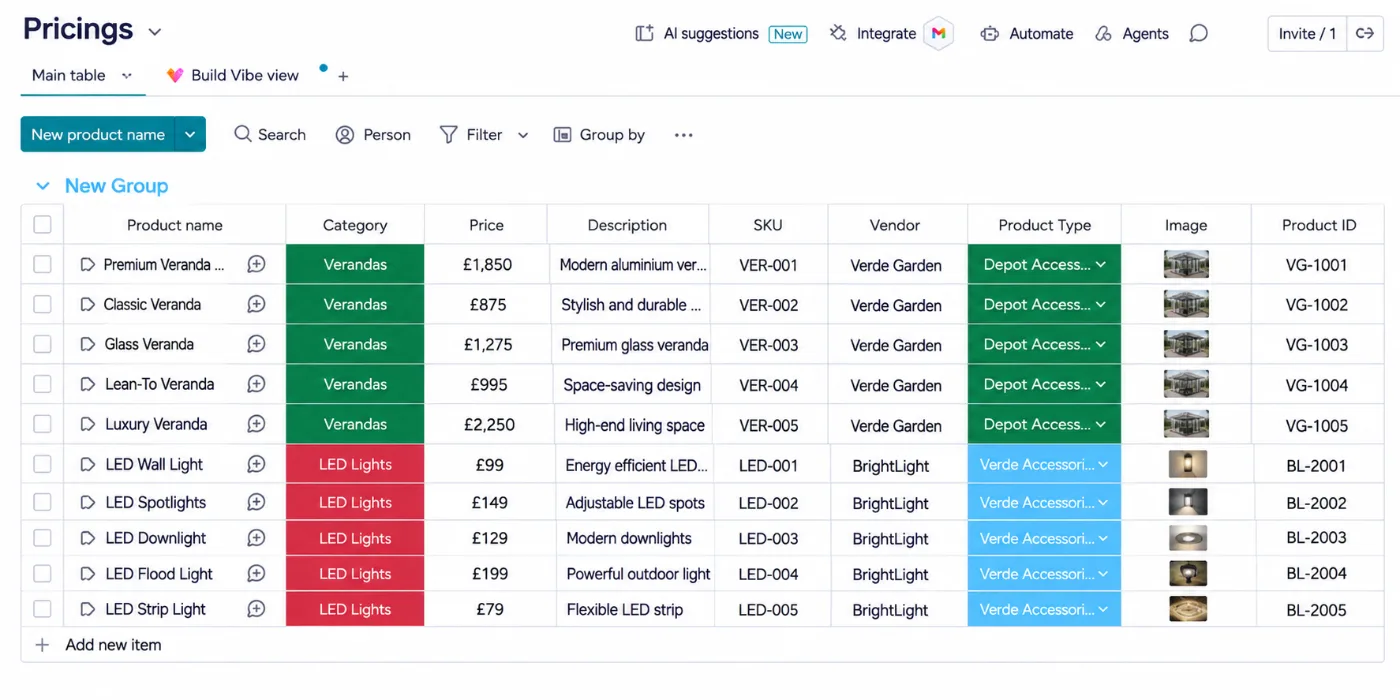
- Price list: a Products board holds every product with its price.
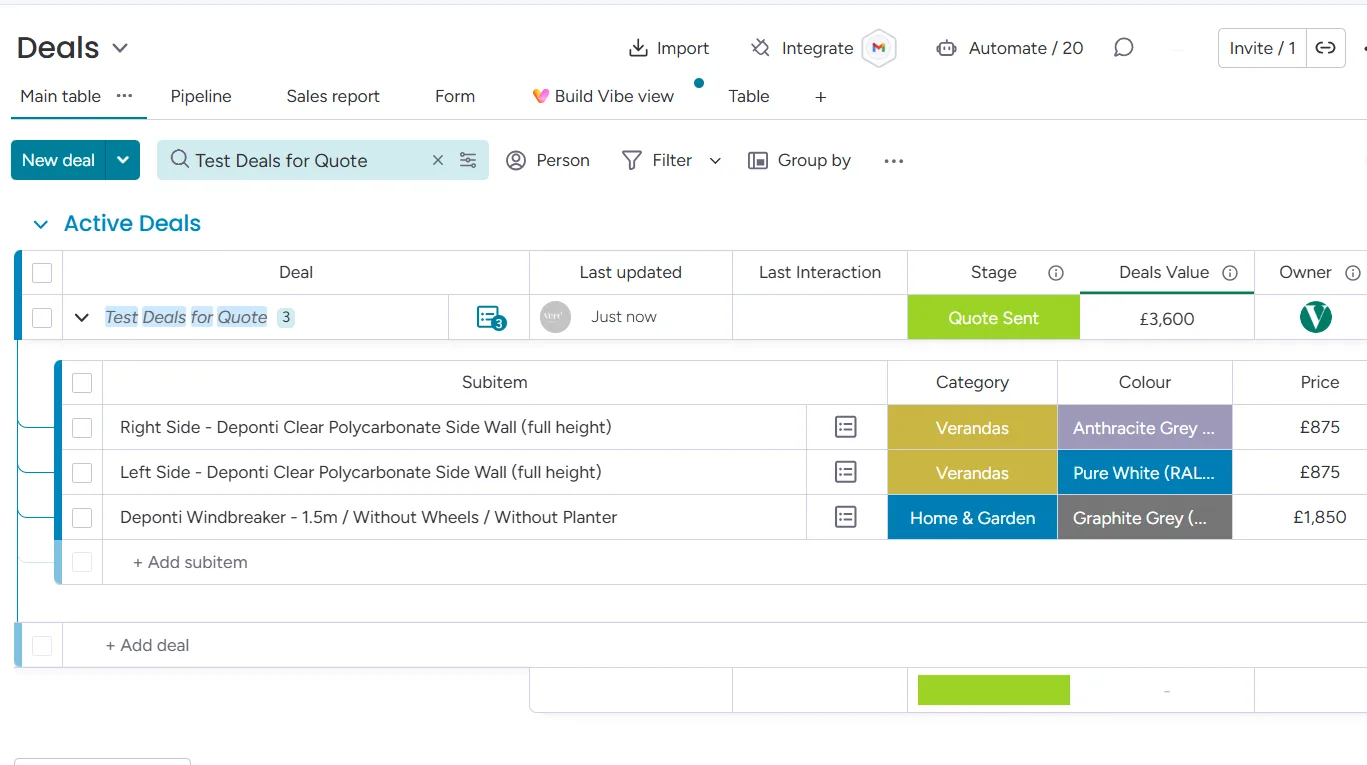
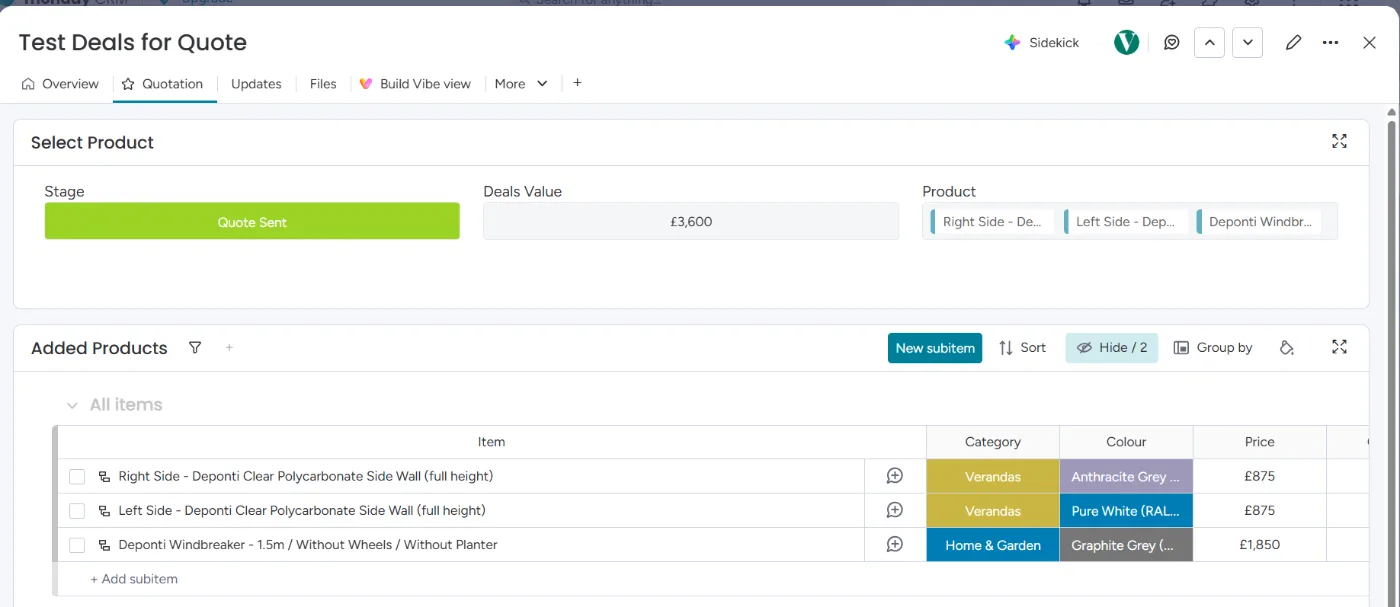
- Build the quote: on the opportunity, a connect boards column picks products from the price list. Each one becomes a subitem with its name, quantity, price, and image.
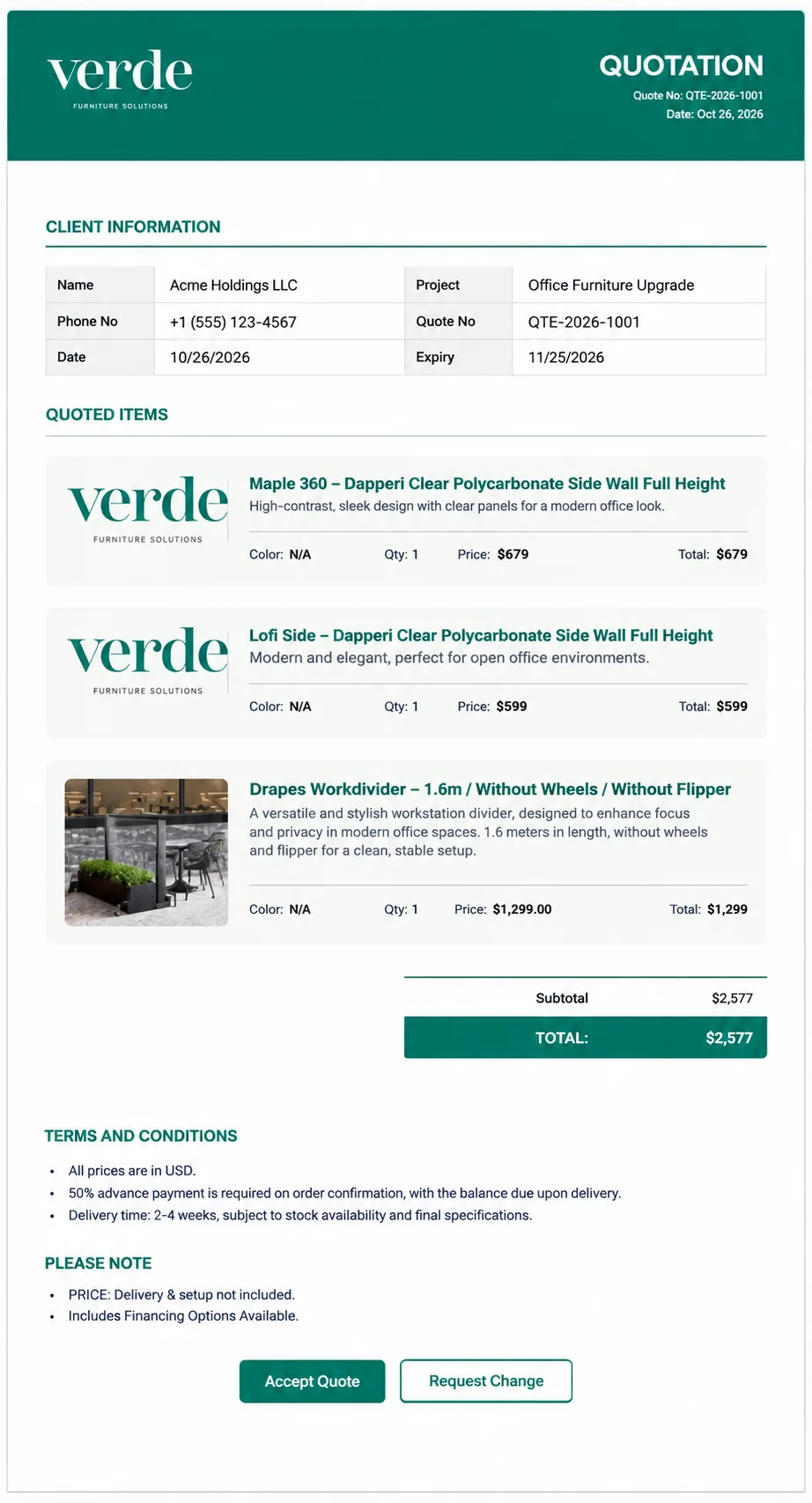
- Send: one action on the item sends a branded quote email that totals the subitems.
- Customer answers: the customer clicks Accept Quote or Request Change. A change request opens a monday.com form, and the note lands on the opportunity.
- Invoice: when a quote is accepted, an invoice is created in Xero for the team to review and send.
Read the full build in our VerdenGardenLiving case study.
When you need full CPQ software instead
- Your products have many options with rules about what can be combined
- Discounts need approval from several people before a quote goes out
- You manage thousands of products with prices that change by region or customer
If that sounds like you, dedicated CPQ software is worth the cost. If not, a quote tool on monday CRM is usually faster to set up and keeps everything in one place.
Frequently asked questions
Want quotes like this in your monday CRM?
Book a free call. We’ll look at how you quote today and show you how it would run in monday CRM.

Written by Rehan Abdul Qayyum
Lead consultant and head of implementation at iFlow Consulting, a monday.com Certified Partner. Before starting iFlow, Rehan implemented monday CRM and monday work management for enterprise clients at a monday.com Platinum Partner.