
Case study · Manufacturing
How Evolution Fires runs production and stock in monday.com
Evolution Fires, a UK maker of premium electric fireplaces and media walls, moved orders, drawing approvals, five production stages, and stock control into monday.com. Each department now finishes its stage in 1 to 2 hours instead of about a day.



At a glance
Evolution Fires at a glance

| Client | Evolution Fires |
|---|---|
| Industry | Manufacturing: electric fireplaces and pre-built media walls, UK |
| Services | monday.com implementation, automations, integrations, inventory management |
| Tools | monday.com, WooCommerce, monday.com WorkForms, a barcode system |
| Volume | About 15 orders a week; each team is a manager and 2 to 3 people |
The challenge
Five departments, about a day each
Every Evolution Fires order goes through machining, assembly, quality control, spraying, and packaging. Before production starts, the customer has to approve a drawing.
Before monday.com, each department took about a day to finish its stage of an order. Stock was counted and reordered by hand, and order status questions from customers had to be answered by someone looking the order up.
What we built
One connected set of boards, from order to packaging
We built the system board by board, following an order through the business.
1. Orders
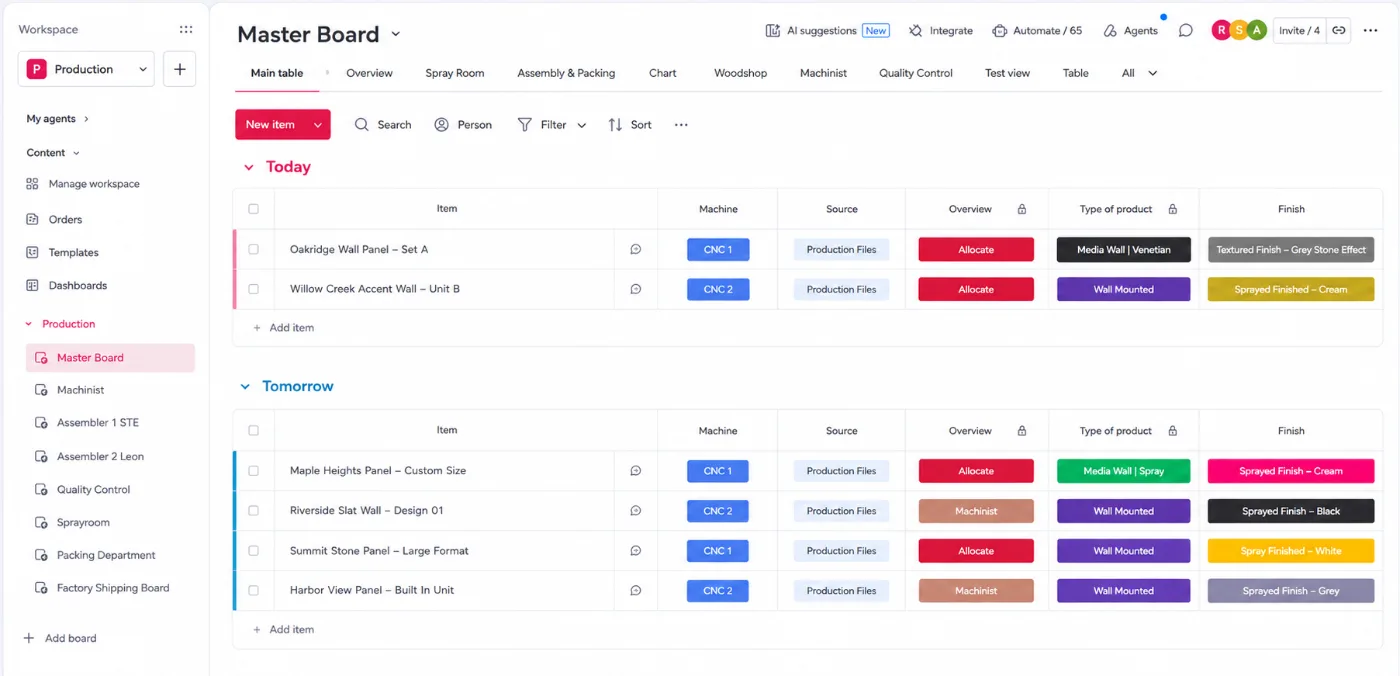
Orders from the WooCommerce store land on a master board automatically.
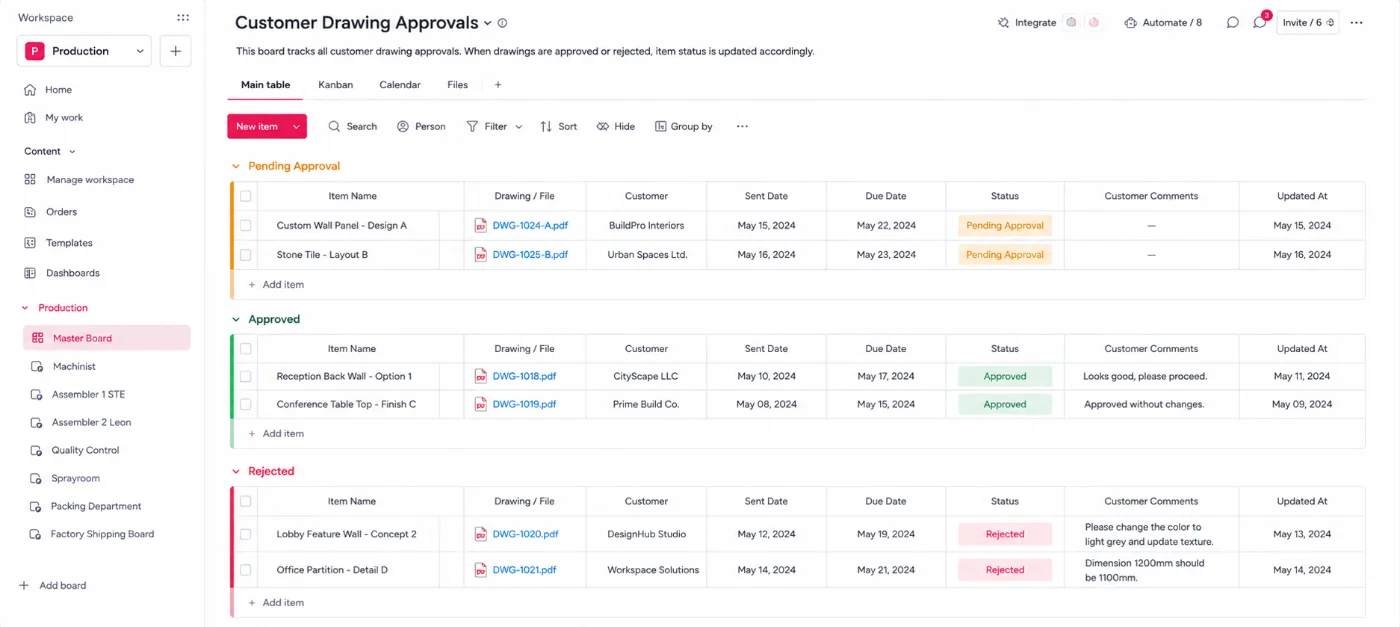
2. Drawing approvals
The customer gets an email with the drawing files and Accept or Reject. A rejection opens a form, logs the reason, and marks the drawing Rejected.
3. Machining and assembly
Each team is notified when an order reaches it. Setting an item to Working on it starts a timer; marking it done stops it and writes the time back to the master board.
4. Quality control
The QC board records who checked each order and whether it passed.
5. Spraying and packaging
Orders go to the spray room when needed, then to packaging, where labels are generated.
6. Order status replies
When a customer asks about an order on the website form, an automation finds the order and replies with its current stage.
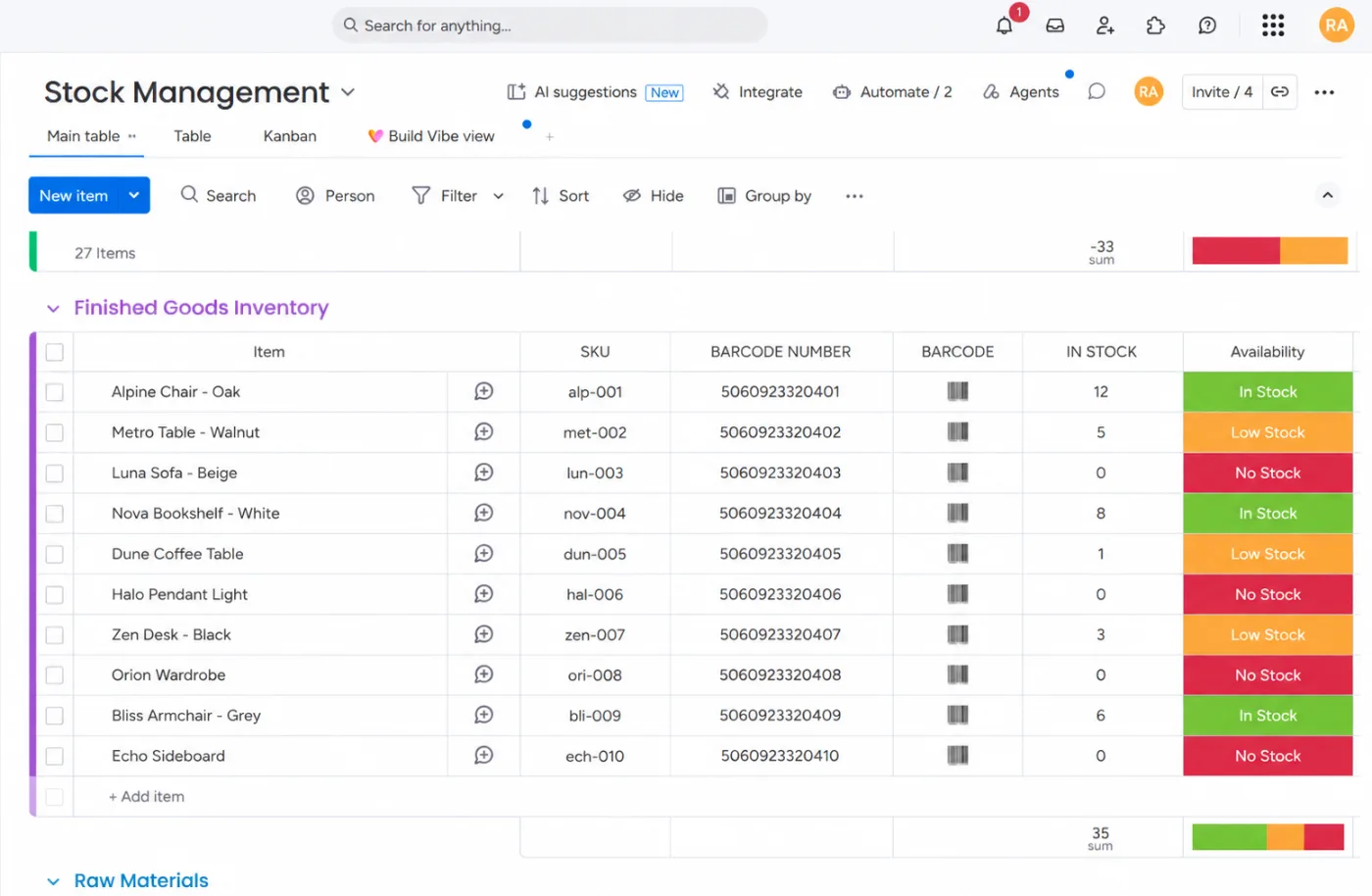
7. Stock control
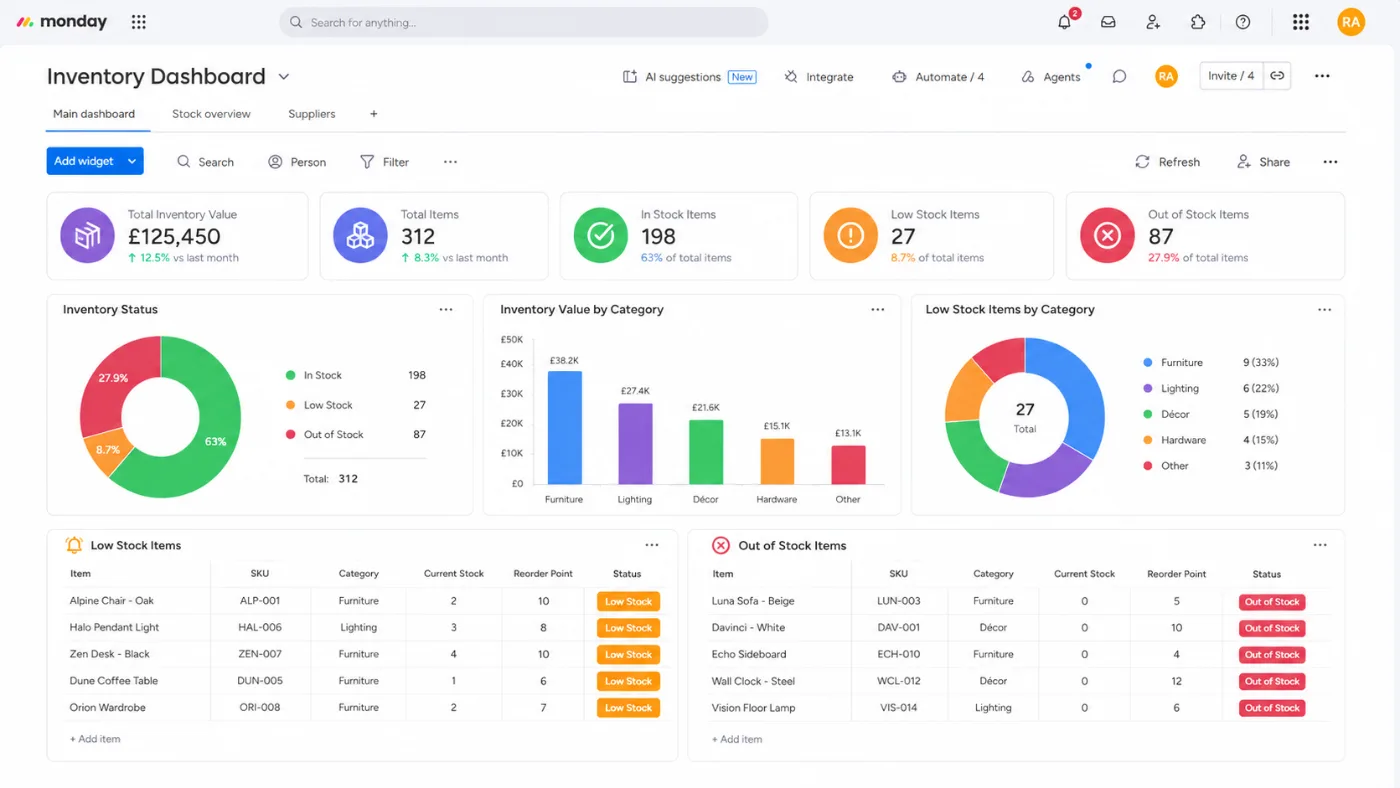
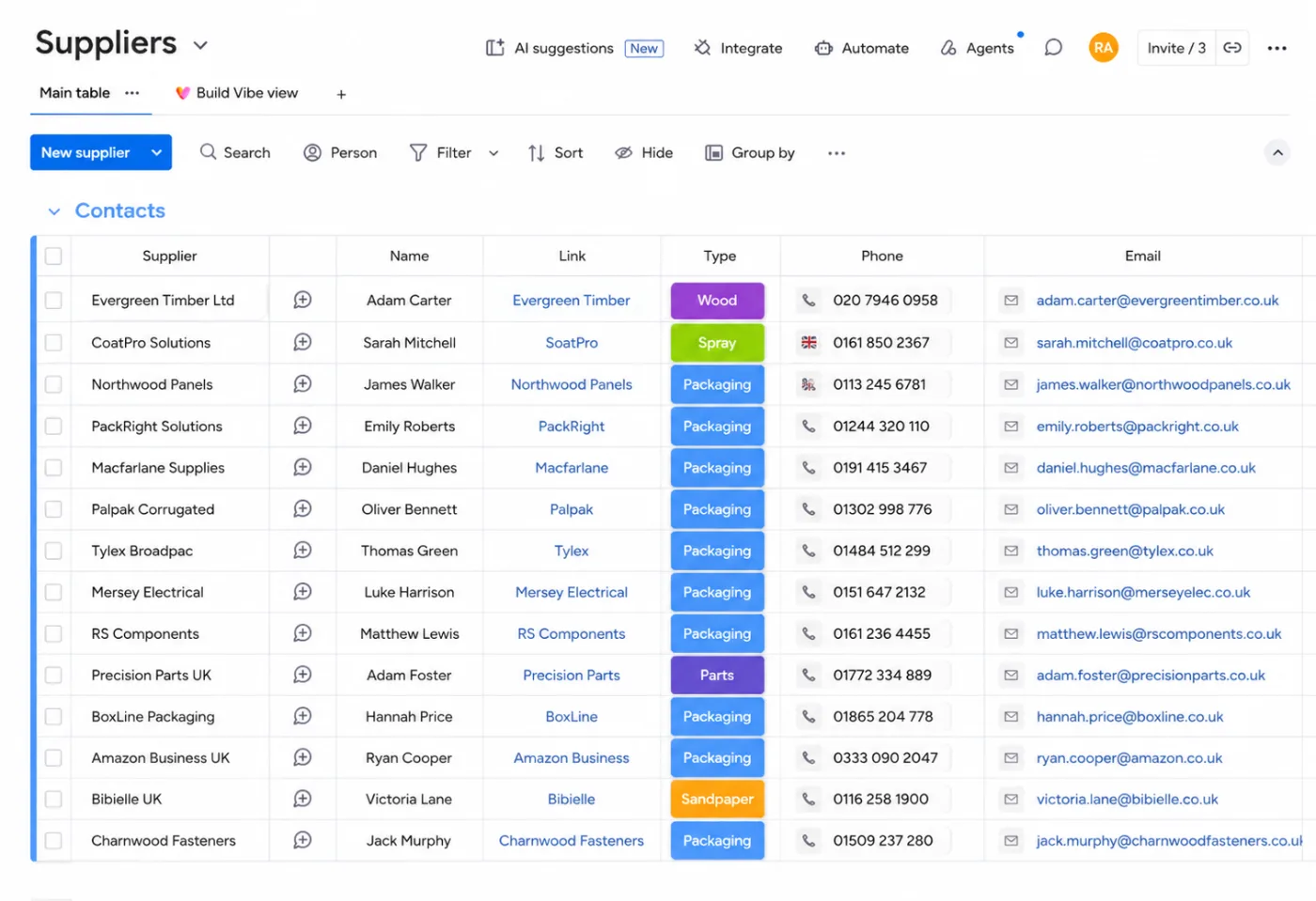
Each order deducts the components it uses. Low stock notifies the inventory manager and creates a purchase order, which is emailed to the supplier once approved.
8. Barcode scanning
Scanning a product adds or deducts stock in monday.com.
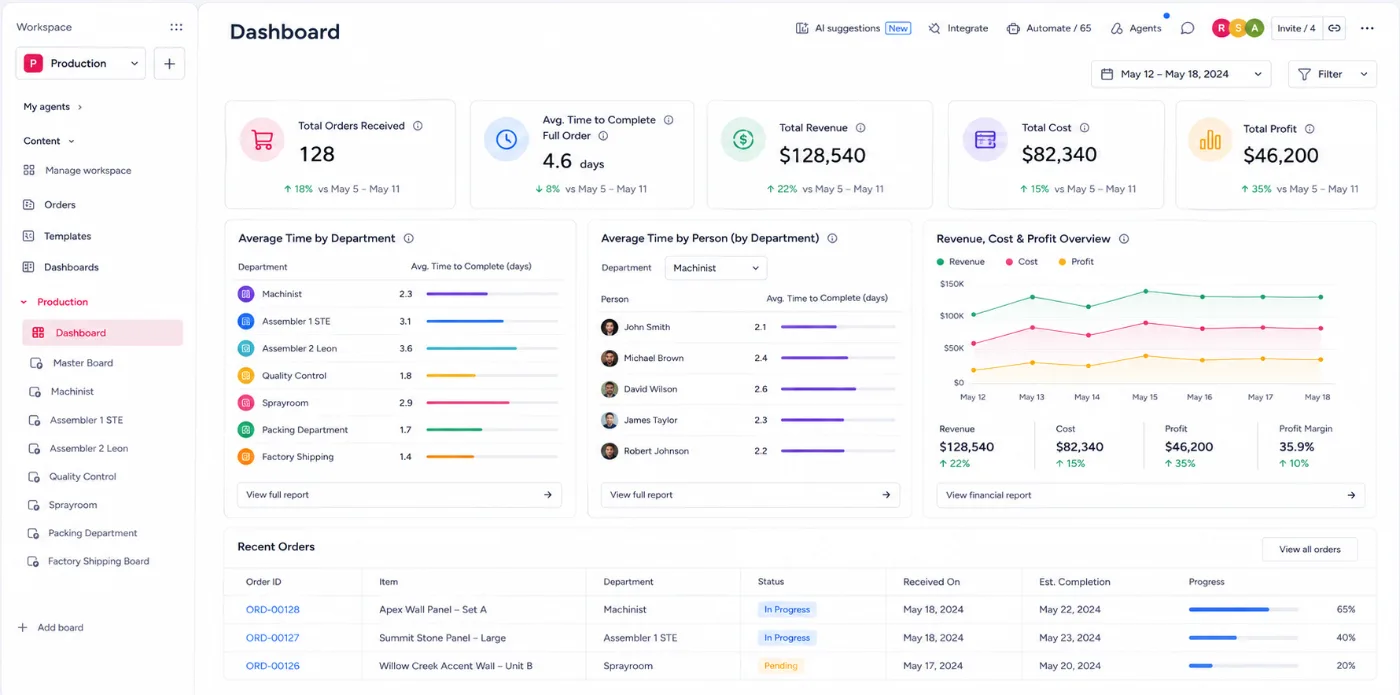
9. Dashboards
Orders received, average time per order, per department, and per person, plus revenue, cost, profit, and stock levels.
Inside the build
Inside the build
Screenshots from the build. Client data replaced with sample data.
Results
Hours back every week, and a stage that takes hours instead of a day
1–2 hrs
per department stage, down from about a day
4–5 hrs
saved every week on the production pipeline
6 hrs
saved every week on stock and purchase orders
- Order status replies to customers are now instant
- Fewer missed drawing approvals and fewer lost orders
- Weekly and monthly profit and cost figures for faster decisions
- Clear accountability for every department and person
Services used
Services used in this project
monday.com for manufacturing
How we set up production on monday.com.
monday.com inventory management
Stock, purchase orders, and suppliers.
monday.com automations
Timers, notifications, and approvals.
monday.com integrations
WooCommerce, barcode systems, and more.
Run production like Evolution Fires
Book a free call and we’ll map how your orders could move through monday.com.