
Industries · Marketing and production
monday.com for marketing agencies and production companies
We set up monday.com for marketing, video, and podcast agencies: a CRM that books discovery calls and follows up on its own, quotes clients accept online, Stripe billing, and a project board for every new client. Built by a monday.com Certified Partner with 7 years of builds.



Why monday.com
Why agencies move their marketing workflow into monday.com
Agencies juggle leads, quotes, retainers, and dozens of deliverables across clients. When each lives in a different tool, follow-ups slip and nobody sees the whole client. Good marketing workflow management puts sales, delivery, and billing on connected boards.
Leads that book themselves
Every website lead gets a booking link right away, and booked calls land on the lead.
Follow-up on autopilot
Reminders go out when a lead doesn’t book or a quote isn’t accepted, then the right person gets a call task.
One record per client
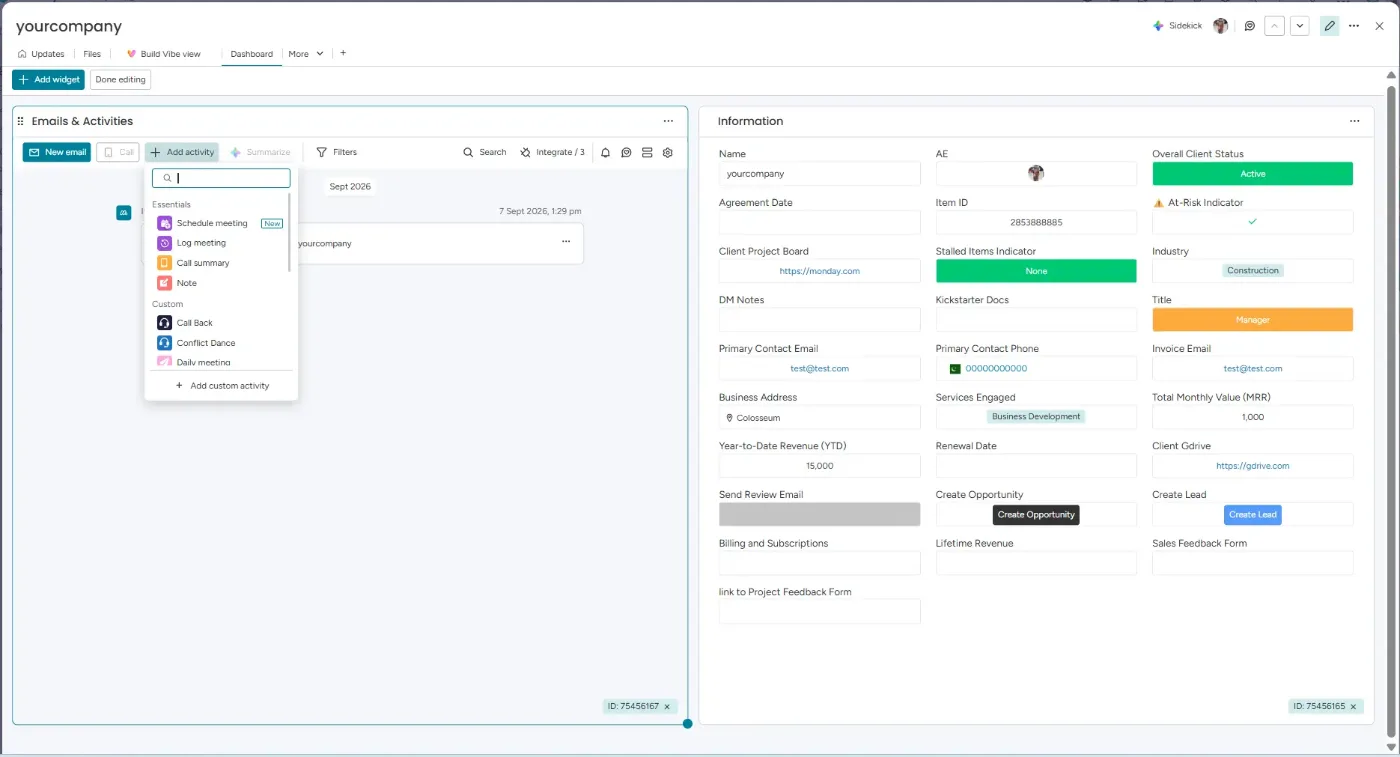
A Contacts board holds each client’s history, spend, services, notes, and meetings.
Delivery and billing connected
A won deal creates the project board and the Stripe invoice, without retyping.
CRM for agencies
From website form to booked discovery call
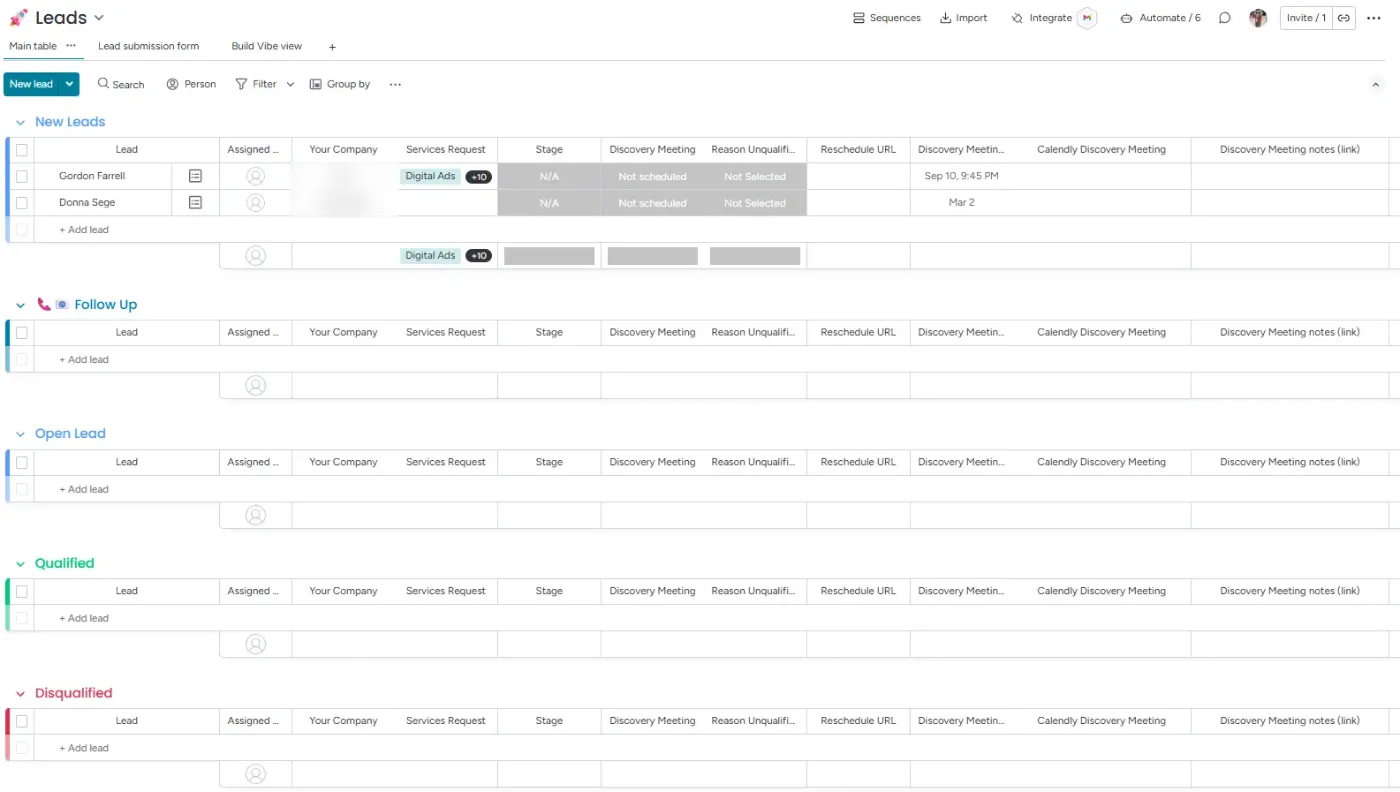
The CRM runs on three boards: Leads, Opportunities, and Contacts. It starts with a monday.com form you can embed on your website.
1. Website form
A lead fills out the form on your site and lands on the Leads board.
2. Booking link
An email goes out right away with a Calendly link to book a discovery call.
3. Call booked
Make adds the date and time to the lead and sets its status to Scheduled.
4. Not booked
Follow-up emails go out after 24 and 48 hours. After that, the lead is marked Unqualified.
5. 12-month nurture
Unqualified leads and lost deals get one email a month for 12 months: simple content marketing automation that keeps you in touch.
6. Qualified
After the call, qualified leads move to the Opportunities board.
Quotes
Quotes clients accept online, with your terms attached
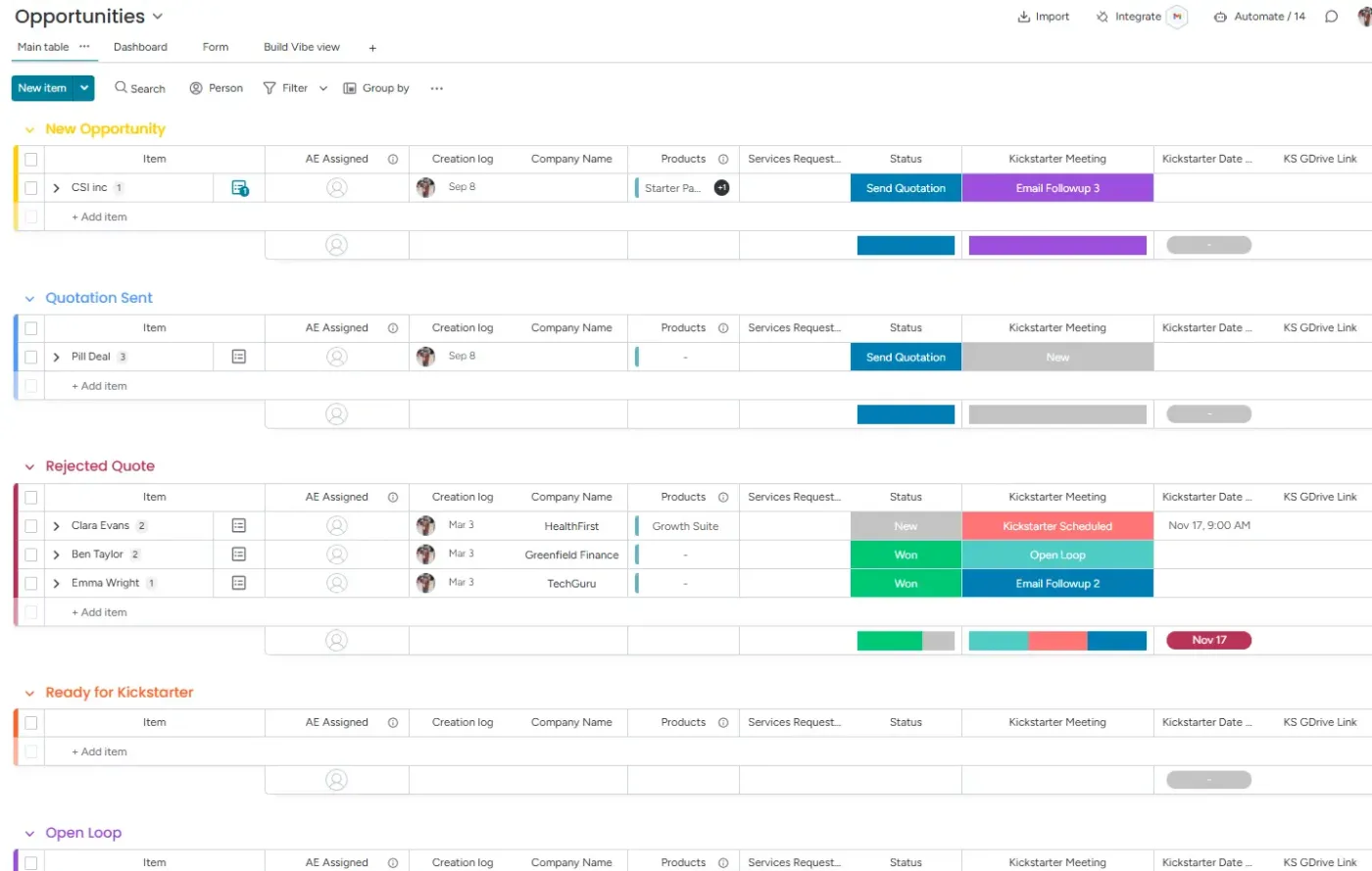
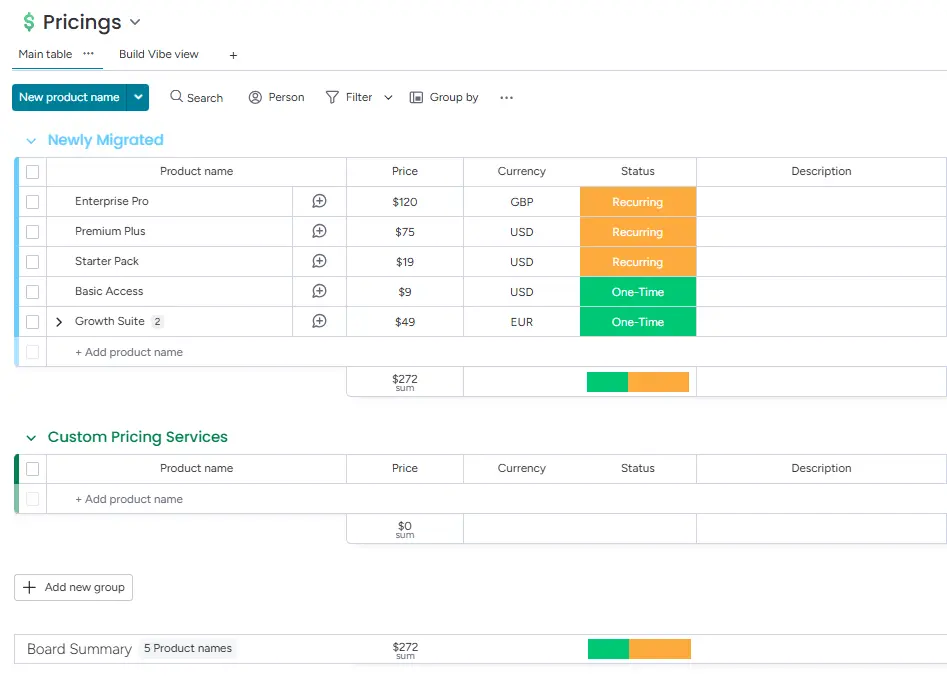
Opportunities use our quote management tool: build the quote from your price list and send it from monday.com.
1. Quote with terms
The quote includes your terms and conditions. Clients accept the terms when they accept the quote.
2. Follow-up reminders
If the quote isn’t accepted, reminders go out after 2, 3, 5, and 7 days.
3. Call task
After the last reminder, the status changes to Make call and the owner is notified to phone the client.
4. Won or lost
The owner marks the deal won or lost. Lost deals join the 12-month nurture campaign.
Clients and billing
One client record, and billing that keeps itself up to date
When a client accepts, Make sends a Stripe invoice: a subscription for ongoing work, or a one-time invoice based on hours.
- Contacts board: each client’s full history, including how much they have spent, which services they bought, notes, and meetings.
- Notes added automatically: kickoff and discovery notes are brought onto the client record.
- Finances board: every transaction is logged, with the client as the item and each transaction as a subitem.
- Sales survey: after accepting the quote, the client rates how the sales process went. A rating of 4 stars or fewer notifies the account manager to follow up; 5-star ratings are kept as a record.
New client or repeat client?
New client: a project board is created from your template, with ticket forms, approvals, and billing ready.
Existing client: no new board. The account manager is notified and creates a ticket on that client’s board.
Delivery
A digital marketing workflow with a project board for every client
Instead of separate creative project management software, delivery runs in the same account as sales. Every client board comes from one template with 70+ automations and integrations.
Ticket forms per service
Requests for video production, podcasts, digital ads, PPC, or SEO go to the right group and owner.
Client approvals
Deliverables go to the client by email for Accept or Request change.
Time to invoice
Time logged on subitems becomes a Stripe invoice when the work is ready to bill.
Inside the build
Inside an agency build
Screenshots from an agency CRM build: the Leads board, the Opportunities board, the pricing board the quote tool reads from, and a client record on the Contacts board. All data shown is sample data.
Case study · Be Authentic Productions
How Be Authentic Productions runs sales, delivery, and billing in monday.com

Be Authentic Productions provides digital marketing, video production, podcasts, digital ads, PPC, and SEO. We built their CRM, project management, and billing in monday.com, connected to Calendly, Stripe, and Google Drive with Make, and we have kept building on it with them for two years.
- Leads book discovery calls from the first email, and follow-ups run on their own.
- Quotes with terms go out from monday.com, and accepted quotes trigger Stripe invoices.
- Every new client gets a project board from the template; repeat clients get a ticket on their existing board.
15–20
client projects running at the same time
70+
automations and integrations on every project board
Also in marketing
Local For You
A marketing agency for Thai restaurants. We moved its CRM from Salesforce to monday CRM: 3,000 records in 5 to 7 days.
Connected tools
Tools we connect for agencies
- monday CRM
- Make
- Calendly
- Stripe
- Google Drive
- monday.com forms
How we work
How an agency setup with us works
1. Discovery call
A free call to see how leads, quotes, delivery, and billing run in your agency today.
2. Scope and plan
We map your services, pipeline stages, follow-ups, and billing, and agree on a timeline.
3. Build in staging, then go live
We build and test in a staging environment, then move it live. Work on existing boards happens outside your office hours.
4. Train and support
We train your team on its own boards. You get 7 days of free support after go-live, then optional monthly support plans.
FAQ
monday.com for marketing agencies: common questions
Keep reading
Related guides and services
monday.com project management
Project templates, ticket forms, approvals, and billing for teams running many client projects.
Client approvals in monday.com
Deliverables sent by email for Accept or Request change, logged on the item.
Quote management for monday CRM
Quotes from your price list with one-click acceptance and invoicing.
monday CRM consulting
Pipelines, lead capture, email sync, and revenue tracking set up around how you sell.
Talk to us about your agency workflow
Book a free call. We’ll look at how leads, quotes, delivery, and billing run in your agency today, and show you what we would build in monday.com.