
monday.com Certified Partner · 7 years
Inventory management in monday.com
We build monday.com inventory management that runs itself: stock deducts automatically when orders come in, low stock triggers a purchase order, and approved orders are emailed to the supplier. Barcode scans, Xero, and QuickBooks connect to the same boards.



Is monday.com right for inventory?
When monday.com works for inventory, and when it doesn’t
monday.com works well when your stock is tied to the orders and production you already run there. Instead of an inventory tracking spreadsheet that someone updates by hand, stock moves with every order, and the whole team sees the same numbers.
If you run several warehouses with bin locations, lot and serial tracking, or high-volume picking, a dedicated warehouse inventory control system is usually the better fit. We can connect it to monday.com so orders and stock still sync.
monday.com is a good fit when
- Your orders already land on monday.com
- Products are built from components you need to track
- You want low-stock alerts and purchase orders without extra software
- Your team should see stock, orders, and suppliers in one place
How it works
How our monday.com inventory management works
- An order comes in. When an order lands on monday.com, the stock management board finds the product ordered.
- Components deduct automatically. Each product has its own group, with the components it uses and how many of each. The right amounts are deducted on their own.
- Low stock is flagged. When a component reaches its threshold, its status changes to Low Stock and the inventory manager is notified.
- A purchase order is created. A document is generated in Google Docs and added to the Order Stock board with the quantity, product name, and code, and the status In review.
- The team approves it. Once someone checks the order and changes the status to Send order, it goes out.
- The supplier gets it by email. Each component is linked to its supplier on the supplier board, so the order is emailed to the right supplier automatically.
What we set up
What’s included in a monday.com inventory system
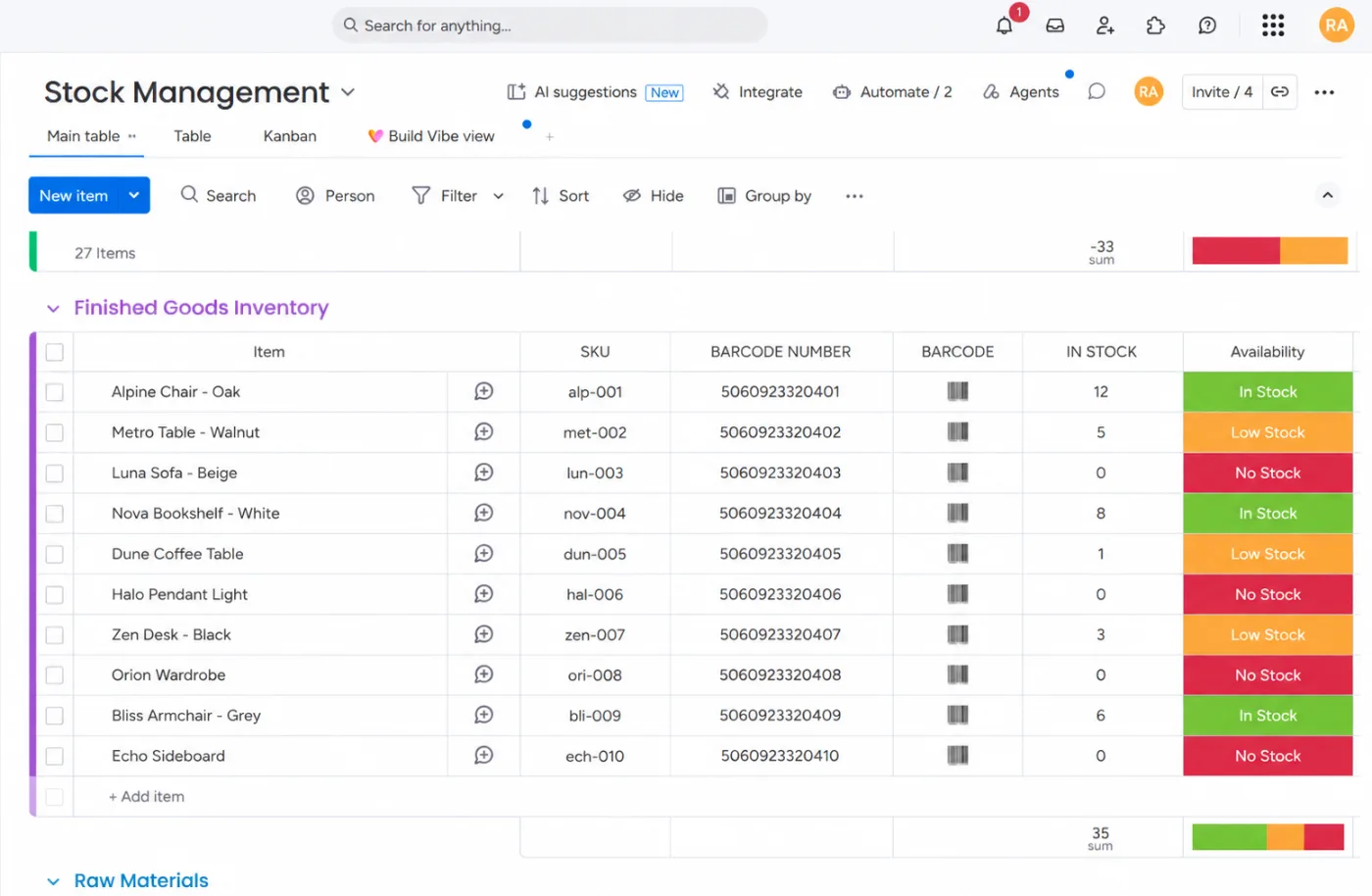
Stock management board
Products and their components, with SKU, barcode, quantity in stock, and status.
Automatic deduction
Stock deducts with every order, based on how many of each component a product uses.
Low-stock alerts
Thresholds for every component, with a Low Stock status and a notification to the inventory manager.
Purchase orders
Orders generated as documents, or created directly in Xero or QuickBooks, with a review step before sending.
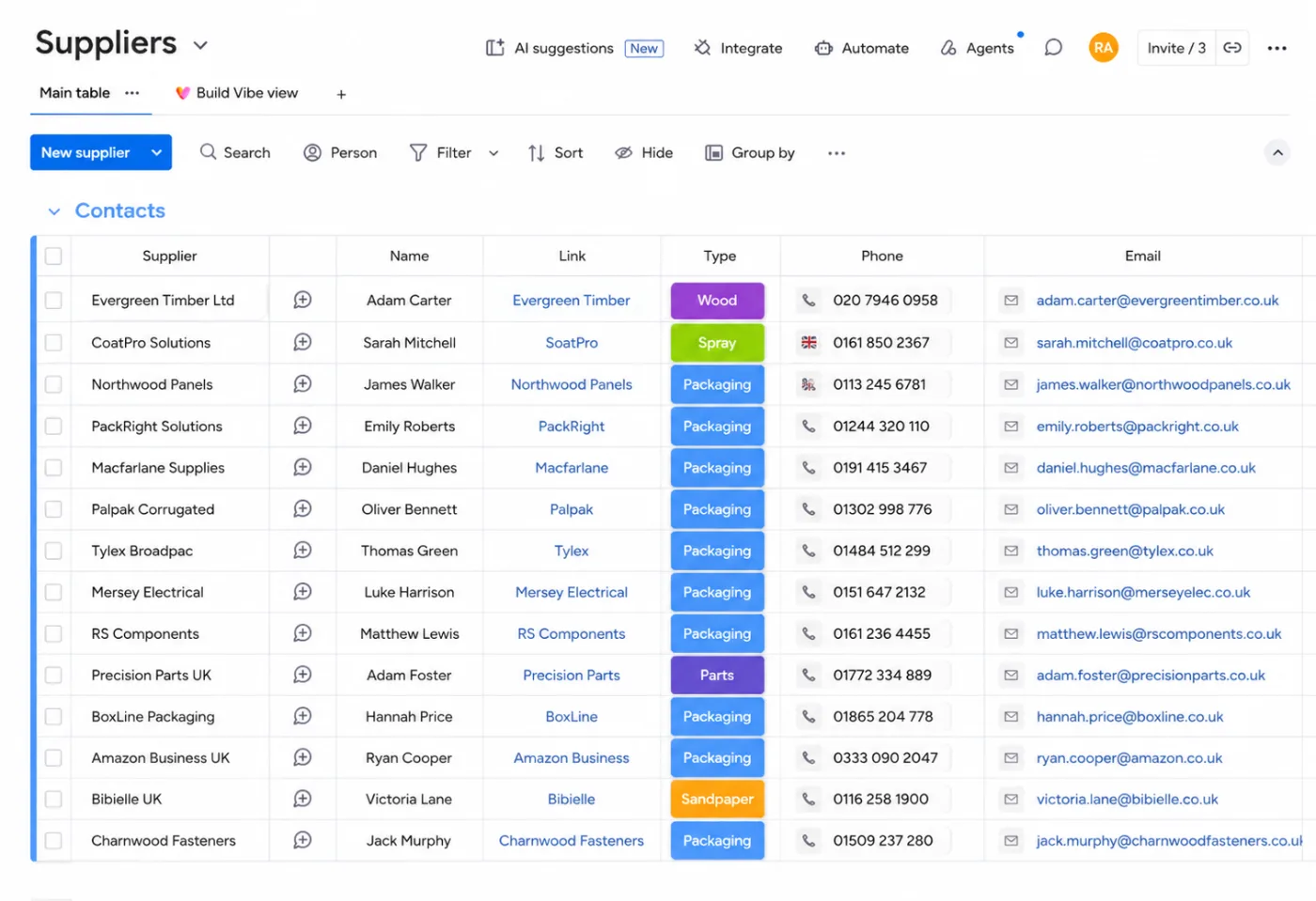
Supplier board
Every supplier and the components they provide, so orders go to the right place automatically.
Barcode scanning
Scanning a product adds it to monday.com or deducts it from stock, so counts stay accurate.
Case study · Evolution Fires
From manual stock checks to automatic ordering

Before, Evolution Fires managed stock, purchase orders, and supplier emails by hand. Now stock deducts automatically as orders come in, purchase orders are created on their own, and approved orders go straight to the supplier.
- Automatic stock deduction for every order, down to each component
- Purchase orders created automatically when stock runs low
- Orders emailed to suppliers once the team approves them
- Barcode scans add and deduct stock on monday.com
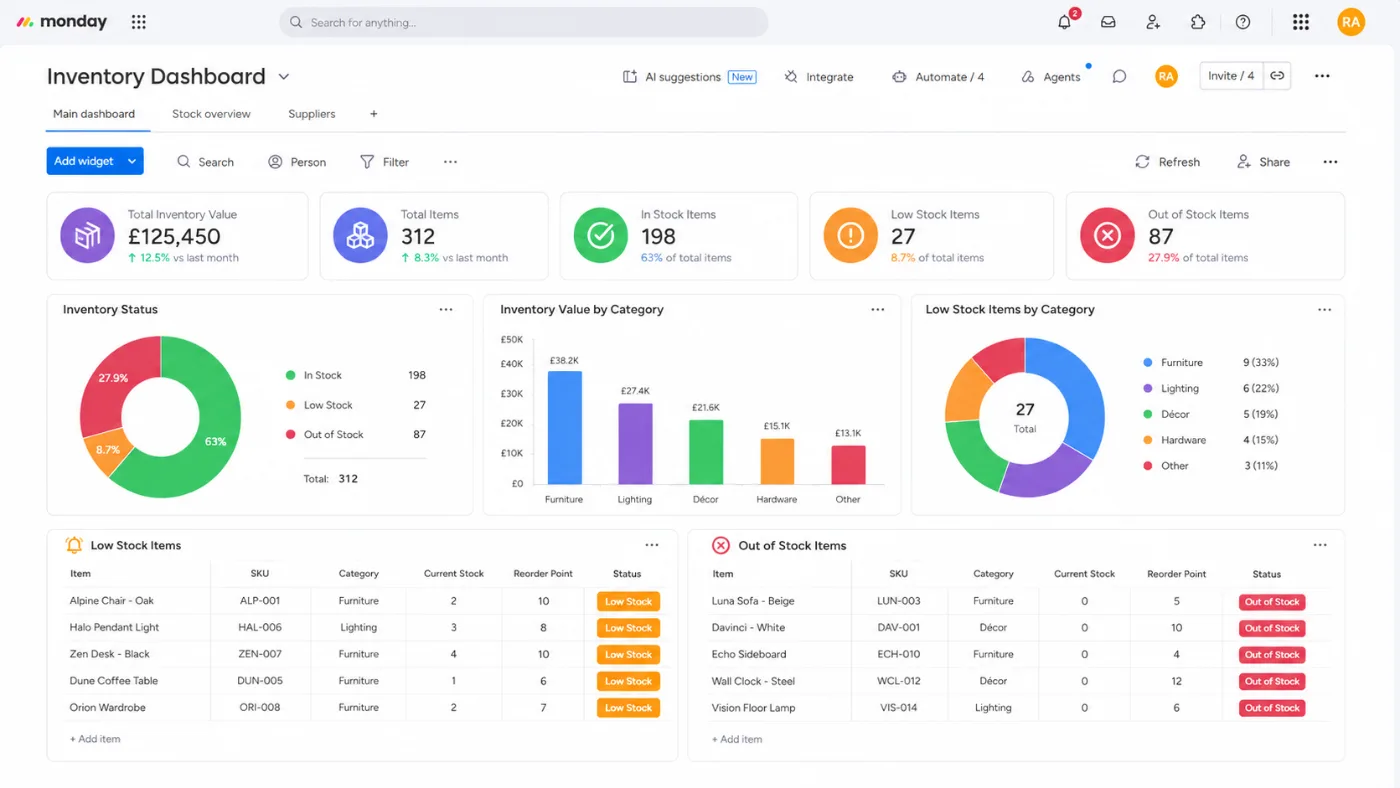
- A dashboard for stock levels, low-stock items, and order statuses
6 hrs
Saved every week on stock checks, purchase orders, and supplier emails
Automated
Stock deduction, purchase order creation, and supplier emails
Inside the build
The inventory dashboard
Screenshots from the real build, with sample data in place of client information.
Suppliers
Every component linked to its supplier
The supplier board lists each supplier and the type of components they provide. Because each component is linked to its supplier, approved purchase orders go out by email to the right contact automatically. Prefer to order through your accounting software? We also create purchase orders directly in Xero and QuickBooks.
Connected tools
Connected to the tools you already use
Inventory, orders, and suppliers stay in sync with your other systems. If a tool has an API, we can connect it.
- Xero
- QuickBooks
- Google Docs
- Gmail
- Outlook
- Barcode systems
- Shopify
- WooCommerce
FAQ
monday.com inventory management questions
Keep reading
Related guides and services
monday.com for manufacturing
Order intake, production scheduling, and quality control.
monday.com integrations
Connect Xero, QuickBooks, barcode systems, and more.
monday.com automations
Stock alerts and purchase orders that run on their own.
monday.com implementation
A full setup, planned and built by a Certified Partner.
Automate your inventory in monday.com
Book a free discovery call. Walk us through how you track stock and reorder today, and we’ll show you how it could run on its own.